Author: [email protected]

  • Load Cignal with GCash: A Complete Step-by-Step Guide

    Load Cignal with GCash: A Complete Step-by-Step Guide

    Welcome to our comprehensive guide about how to load cignal using gcash.

    Introduction: Easy Ways to Load Cignal with GCash

    How to Load Cignal Using GCash: Introduction

    In today’s fast-paced digital world, convenience is key. Managing your home entertainment, especially your Cignal subscription, should be effortless. Gone are the days of rushing to physical loading stations or dealing with complicated processes. Now, thanks to GCash, keeping your Cignal service active is simpler than ever. This guide will walk you through various easy methods to load your Cignal account directly from your smartphone.

    Why Choose GCash for Your Cignal Loading Needs?

    GCash has revolutionized digital transactions in the Philippines. It offers a secure, instant, and incredibly user-friendly platform for a multitude of financial activities. When it comes to loading Cignal, GCash stands out for several compelling reasons. Firstly, it provides unparalleled accessibility; you can top up your Cignal account anytime, anywhere, as long as you have an internet connection. For instance, whether you’re at home, commuting, or even on vacation, your Cignal subscription remains within reach. Secondly, GCash ensures real-time transactions, meaning your Cignal load is typically credited almost instantly. This eliminates frustrating delays and ensures your viewing pleasure is uninterrupted. Moreover, using GCash often comes with exclusive promotions or cashback offers, adding more value to your every transaction. Therefore, choosing GCash not only simplifies the process but also potentially saves you money.

    Overview of Convenient Cignal Loading Methods with GCash

    Understanding Learn more is straightforward, as there are multiple convenient options available. Each method caters to different preferences, ensuring there’s a perfect fit for everyone. We will delve into three primary ways to keep your Cignal account topped up.

    • Method 1: Loading Directly via the GCash App. This is arguably the most popular and direct approach. You simply navigate a few menus within the GCash application on your mobile device. For example, you’d select “Pay Bills,” then “Cable/Internet,” and finally choose Cignal. This method is ideal for those who prefer an integrated experience within a single app.
    • Method 2: Utilizing the Cignal Web Loading Tool with GCash. This option involves using Cignal’s official website or web portal. Here, GCash acts as your payment gateway. Consequently, you get the benefit of Cignal’s dedicated loading interface while still leveraging the security and ease of GCash for payment. This is particularly useful if you’re on a computer or prefer a web-based interface.
    • Method 3: Loading Cignal Using a PIN via GCash. Sometimes, you might purchase Cignal load in the form of a PIN from various GCash-powered merchants or even receive it as a gift. With this method, you use GCash to redeem or apply that PIN to your Cignal account. This provides flexibility, especially for those who might acquire load through alternative channels.

    In summary, these diverse options make Learn more an incredibly adaptable and user-friendly experience. This guide will provide detailed, step-by-step instructions for each method, ensuring you can confidently choose and execute the best option for your needs.

    Method 1: How to Load Cignal Using the GCash App (Step-by-Step)

    Step-by-step guide on how to load Cignal using GCash app

    The GCash app offers the most straightforward way to top up your Cignal account. This method is popular for its speed and convenience. Here’s a step-by-step guide on Learn more directly from your mobile device.

    Step-by-Step Guide to Loading Cignal via GCash App

    1. Open the GCash App and Log In: First, launch the GCash application on your smartphone. Enter your 4-digit MPIN to securely log in. You’ll then be directed to the main dashboard.
    2. Navigate to the “Pay Bills” Section: On the GCash home screen, look for the “Pay Bills” icon. It’s usually prominently displayed. Tap on this icon to proceed to the bill payment options.
    3. Select “Cable/Internet”: Within the “Pay Bills” menu, you’ll see various categories. Find and tap “Cable/Internet.” This category includes Cignal as a primary service provider.
    4. Choose “Cignal (Postpaid)” or “Cignal (Prepaid)”: Here, you’ll need to select the correct Cignal option. If you have a monthly subscription, choose “Cignal (Postpaid).” Conversely, if you use load cards, select “Cignal (Prepaid).” For example, most users will opt for “Cignal (Prepaid)” to top up their account balance.
    5. Enter Your Cignal Account Details:
      • Account Number: Carefully input your 8-digit Cignal account number. This is crucial for successful loading. Double-check this number to avoid errors.
      • Amount: Enter the desired load amount. GCash often provides pre-set options, but you can also type a custom amount. For instance, you might choose β‚±100, β‚±300, or β‚±500.
    6. Review and Confirm Transaction: A summary of your transaction will appear. This includes your Cignal account number, the chosen amount, and any applicable fees. Review all details thoroughly. If everything looks correct, tap “Confirm.”
    7. Complete the Payment: GCash will process your payment. You’ll receive an in-app notification and an SMS confirmation once the transaction is successful. Typically, the Cignal load reflects almost instantly.

    Tips for a Smooth Transaction

    • Check Your GCash Balance: Before starting, ensure you have sufficient funds in your GCash wallet. Consequently, this prevents transaction failures.
    • Verify Account Number: A common mistake is entering an incorrect Cignal account number. Therefore, always double-check it before confirming.
    • Keep Confirmation Messages: Save the GCash confirmation message. It can serve as proof of payment if any issues arise. In addition, you can refer to it for future reference.
    • Troubleshooting: If your Cignal account doesn’t reflect the load after a few minutes, restart your Cignal box. If the problem persists, contact GCash or Cignal customer support with your transaction details.

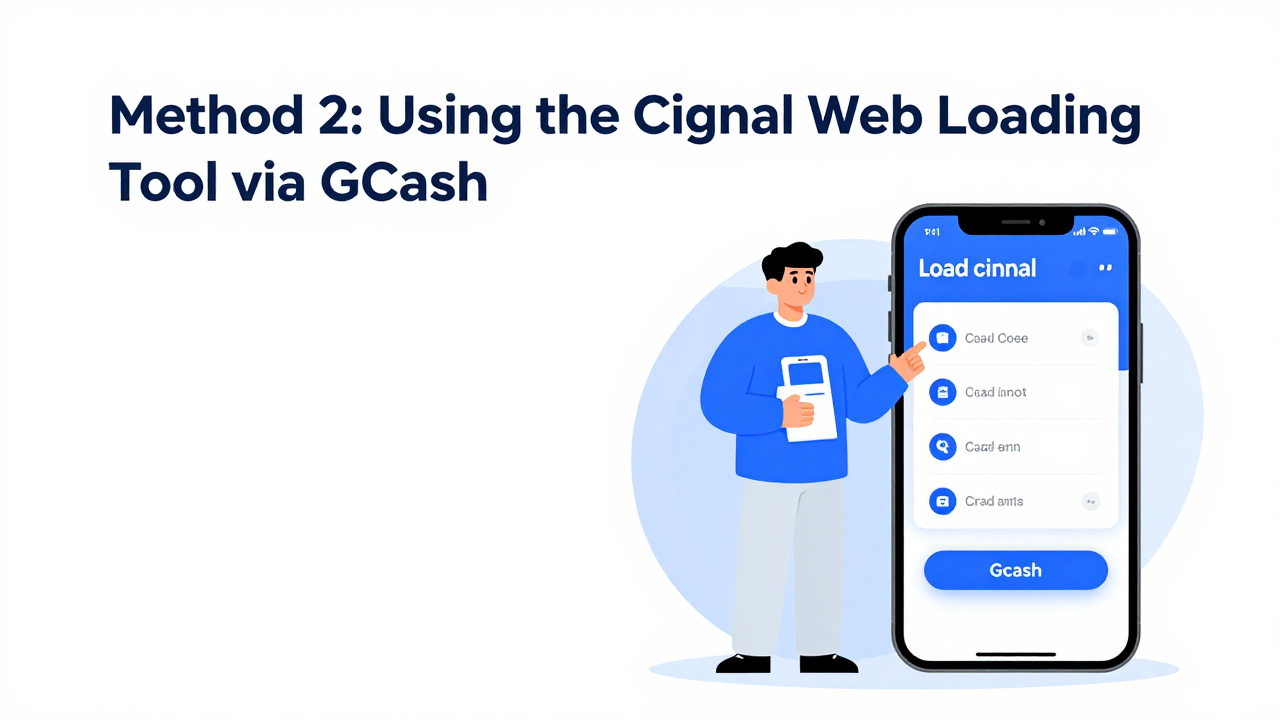
    Method 2: How to Load Cignal Using the Cignal Web Loading Tool via GCash

    Using the Cignal web loading tool to load Cignal using GCash

    For those who prefer a browser-based approach or are experiencing issues with the GCash app, the Cignal Web Loading Tool offers a reliable alternative. This method allows you to conveniently top-up your Cignal account directly from their official website, with GCash acting as your secure payment gateway. It’s a straightforward process, ensuring your Cignal service remains uninterrupted.

    Accessing the Cignal Web Loading Tool

    To begin, open your preferred web browser on a computer or mobile device. Navigate to the official Cignal website. Typically, you’ll find a clear link or section dedicated to “Load Cignal” or “Reload Account.” This tool is designed for ease of use, providing a seamless experience. For example, look for prominent buttons or menu items labeled “Loading” or “Reload.”

    Once you’ve located the loading portal, you will be prompted to enter your Cignal Account Number. This is a crucial step, so double-check the number to avoid any loading errors. Your Cignal Account Number is usually an 8 to 12-digit number found on your Cignal box, billing statement, or by checking your Cignal subscriber details. Furthermore, selecting the correct Cignal plan or amount you wish to load is also necessary at this stage.

    Completing Your GCash Payment

    After inputting your account details and desired load amount, proceed to the payment options. Here, you will explicitly select GCash as your preferred payment method. Consequently, the website will redirect you to the GCash payment portal or display a QR code.

    • GCash QR Code: If a QR code appears, open your GCash app, tap “Pay QR,” and scan the code displayed on your screen. Confirm the payment details within the GCash app.
    • GCash Mobile Number & OTP: Alternatively, you might be asked to enter your GCash registered mobile number. A One-Time PIN (OTP) will then be sent to this number. Enter the OTP on the Cignal website to authorize the transaction.

    Upon successful payment, you will receive a confirmation message both on the Cignal website and via SMS from GCash. This confirms that your transaction to Learn more via the web tool was successful. It’s always a good practice to keep a screenshot of the confirmation page for your records. In addition, you can check your Cignal account balance or load status through the Cignal website or by calling their customer service hotline. This ensures your account is credited promptly.

    Method 3: How to Load Cignal Using a PIN via GCash

    Loading Cignal with a PIN via GCash

    For those who prefer a more traditional approach or purchase Cignal load from physical stores, loading Cignal using a PIN through GCash is a convenient option. This method involves acquiring a Cignal load PIN and then activating it using your GCash app. It’s particularly useful if you buy load from authorized resellers or sari-sari stores that offer Cignal top-ups.

    Where to Purchase Cignal Load PINs

    First, you need to obtain a Cignal load PIN. You can typically purchase these PINs from various authorized Cignal resellers across the Philippines. These include:

    • Convenience Stores: Many 7-Eleven branches, Mini Stop outlets, and other local convenience stores offer Cignal load PINs.
    • Supermarkets: Major supermarket chains often have dedicated loading stations where you can buy Cignal load.
    • Sari-Sari Stores: Smaller neighborhood stores frequently sell Cignal load, providing easy access to PINs.
    • Cignal Dealers: Authorized Cignal dealers and service centers are also reliable sources for purchasing load PINs.

    When you purchase the load, you will receive a slip or a text message containing a unique 14-digit Cignal PIN and a 4-digit Cignal Account Number. Make sure to keep this information secure.

    Activating Your Cignal Load PIN Using GCash

    Once you have your Cignal load PIN, you can easily activate it through the GCash app. This process is straightforward and ensures your Cignal account is topped up quickly.

    Here’s a step-by-step guide on how to load Cignal using GCash with a PIN:

    1. Open the GCash App: Launch the GCash application on your smartphone and log in to your account.
    2. Navigate to “Bills Pay” or “Pay Bills”: On the GCash home screen, tap on the “Bills” or “Pay Bills” icon. This section allows you to pay various utilities and services, including Cignal.
    3. Select “Cable TV”: Within the “Bills Pay” category, look for “Cable TV” and tap on it.
    4. Choose “Cignal”: From the list of cable TV providers, select “Cignal.”
    5. Enter Cignal Account Details:
      • Account Number: Input your 14-digit Cignal Account Number. This is crucial for ensuring the load goes to the correct account.
      • Amount: Enter the exact amount of the load PIN you purchased. For example, if you bought a Cignal 300 load, enter “300.”
      • Cignal PIN: Carefully type in the 14-digit Cignal PIN you received. Double-check for any typos to avoid issues.
    6. Confirm Transaction: Review all the details you’ve entered. Ensure the account number, amount, and PIN are correct. Then, tap “Confirm” or “Next.”
    7. Receive Confirmation: You will receive a confirmation message from GCash indicating that your transaction was successful. Cignal will also send a text message confirming the load has been applied to your account.

    Tips for a Smooth Cignal PIN Loading Experience

    • Verify PIN and Account Number: Always double-check the Cignal PIN and account number before confirming the transaction. An incorrect entry can lead to delays or the load being applied to the wrong account.
    • Keep Receipts: Retain your physical receipt or the text message containing the Cignal PIN until the load has been successfully credited to your account. This serves as proof of purchase.
    • Check Cignal Account Balance: After loading, you can verify your Cignal account balance or subscription status through the Cignal website or by contacting their customer service. This confirms that your Learn more transaction was successful.
    • Network Stability: Ensure you have a stable internet connection when performing the transaction on your GCash app. This prevents interruptions during the loading process.

    This method provides a reliable way to top up your Cignal account, especially when you prefer purchasing load from physical outlets. Consequently, you can enjoy uninterrupted viewing of your favorite Cignal channels.

    Cignal Loading via GCash: New Updates and Best Practices

    While the core methods for loading Cignal with GCash remain user-friendly, Cignal and GCash frequently introduce minor updates to enhance user experience and security. For instance, you might notice subtle interface changes within the GCash app’s bills payment section, making it even easier to find Cignal as a biller. Sometimes, new promotional bundles for Cignal are directly integrated into the GCash app, offering exclusive deals when you top up your account. Staying informed about these subtle enhancements can often lead to better value or a smoother transaction. Moreover, GCash occasionally rolls out security updates, which might involve new verification steps for larger transactions, ensuring your funds are always protected when you load Cignal.

    Tips for a Smooth Cignal Loading Experience

    To ensure a hassle-free experience when you load Cignal using GCash, consider these best practices:

    • Verify Account Details: Always double-check your Cignal account number before confirming any transaction. A single incorrect digit can lead to loading another account, which can be difficult to reverse. For example, if your account number is 123456789, ensure you haven’t accidentally typed 123456788.
    • Confirm Sufficient Balance: Before initiating the loading process, make sure your GCash wallet has enough funds to cover the Cignal load amount plus any potential transaction fees. Consequently, you avoid failed transactions and the need to restart the process.
    • Keep Transaction Records: After a successful transaction, take a screenshot of the GCash confirmation page or note down the transaction reference number. This serves as proof of payment, which is crucial if you encounter any issues with your Cignal subscription not reflecting the load.
    • Stable Internet Connection: A stable internet connection is vital for any online transaction. Therefore, ensure you are connected to a reliable Wi-Fi network or have strong mobile data signal to prevent interruptions during the payment process. A dropped connection can sometimes lead to transaction delays or failures.

    Security Considerations When Loading Cignal via GCash

    Security should always be a top priority when performing any digital transaction. Here’s how to keep your GCash account secure when you load Cignal:

    • Protect Your MPIN: Your GCash MPIN is your digital signature. Never share it with anyone, not even with individuals claiming to be GCash representatives. For example, legitimate GCash support will never ask for your MPIN.
    • Beware of Phishing Scams: Be cautious of suspicious messages or emails asking for your GCash details or offering unusually good deals. These are often phishing attempts designed to steal your credentials. Always verify the sender’s authenticity.
    • Use Strong Passwords: If you access GCash via its web portal, ensure you use a strong, unique password that combines letters, numbers, and symbols. In addition, regularly changing your password adds an extra layer of security.
    • Enable Two-Factor Authentication (2FA): If available, enable 2FA on your GCash account. This adds an extra verification step, usually a one-time password sent to your registered mobile number, making it much harder for unauthorized users to access your account. This is a critical step to secure your funds when learning Learn more.

    Frequently Asked Questions about How to Load Cignal with GCash

    FAQs about how to load Cignal using GCash
    Cignal Loading via GCash: New Updates and Best Practices

    Common Questions About Loading Cignal with GCash

    Many Cignal subscribers find GCash an incredibly convenient way to top up their accounts. However, a few common questions often arise. Here, we address these to ensure a smooth loading experience.

    How long does it take for the Cignal load to reflect after using GCash?

    Typically, Cignal load purchased through GCash reflects almost instantly. In most cases, you’ll see your channels reactivated within a few minutes of a successful transaction. For example, if you load your Cignal account at 2:00 PM, your service should be restored by 2:05 PM. However, occasional system delays can occur. If your load hasn’t reflected after 15-30 minutes, it’s advisable to check your GCash transaction history and Cignal account status.

    What should I do if my GCash transaction failed but money was deducted?

    This can be frustrating, but it’s usually resolvable. First, do not attempt to load again immediately. Wait for at least 30 minutes, as sometimes the system experiences a slight delay in processing. Next, check your GCash transaction history for the specific transaction ID. If the money was indeed deducted and the load hasn’t reflected, contact GCash Customer Service directly. You can do this through the GCash app’s help center or their official social media channels. Provide them with the transaction details, including the date, time, amount, and reference number. They will investigate and process a refund if necessary. In addition, you can also reach out to Cignal Customer Service with your Cignal account number and the GCash transaction details for cross-verification.

    Sharing Cignal Load and Transaction Fees

    Can I load Cignal for another person using my GCash account?

    Yes, absolutely! GCash allows you to load Cignal accounts that are not registered under your name. This is a very convenient feature. When you use the GCash app or the Cignal web loading tool, you simply need to input the correct Cignal account number of the recipient. For instance, if you want to load your parent’s Cignal account, just enter their specific Cignal account number during the transaction process. Therefore, you can easily help family and friends stay connected.

    Is there a transaction fee for loading Cignal via GCash?

    Generally, GCash does not impose a transaction fee for loading Cignal. The amount you choose to load is usually the exact amount deducted from your GCash wallet. For example, if you opt to load β‚±300, only β‚±300 will be debited. However, it’s always good practice to double-check the final amount displayed on the GCash confirmation screen before proceeding, as policies can sometimes change or specific promotions might have different terms. This ensures you’re aware of any potential charges, though they are rare for this service. Knowing Learn more without extra fees makes it an even more attractive option.

    Conclusion: Conveniently Stay Connected with Cignal

    The digital age has undeniably transformed how we manage our daily utilities, and staying connected with your favorite Cignal programs is no exception. This guide has thoroughly explored the various convenient methods available for loading your Cignal account using GCash, ensuring uninterrupted entertainment right at your fingertips. We’ve covered everything from the intuitive GCash app to the specialized Cignal web loading tool and even the traditional PIN-based top-up. Consequently, you now have a comprehensive understanding of how to load Cignal using GCash, empowering you to choose the method that best suits your needs and preferences.

    Streamlined Cignal Loading for Every User

    Whether you are a tech-savvy individual who prefers mobile apps or someone who values the simplicity of web-based transactions, GCash offers a flexible solution for everyone. For instance, using the GCash app provides real-time confirmation and a straightforward interface, perfect for quick top-ups on the go. Moreover, the Cignal web loading tool, accessible via GCash, offers a robust platform for managing your account with detailed transaction histories. Therefore, these diverse options collectively make the process of how to load Cignal using GCash incredibly accessible. Our step-by-step instructions ensure that even first-time users can navigate these processes with confidence, minimizing any potential for errors or delays.

    Furthermore, we highlighted best practices and new updates to keep you informed about the most efficient ways to manage your Cignal subscription. For example, regularly checking for GCash app updates can unlock new features and improve your loading experience. Additionally, understanding the differences between direct loading and PIN-based loading allows you to select the most appropriate method for specific situations. As a result, you can always enjoy your Cignal programming without any unnecessary interruptions.

    In conclusion, loading your Cignal account with GCash is designed to be a seamless and hassle-free experience. Embrace these convenient digital solutions to ensure you never miss out on your favorite shows, movies, and sports. Stay connected and entertained effortlessly. Learn more here Get started.


    πŸ”— Related reading

    Frequently Asked Questions About Loading Cignal with GCash

    Why should I choose GCash for loading my Cignal account?

    GCash offers a secure, instant, and incredibly user-friendly platform for managing your Cignal subscription. It provides unparalleled accessibility, allowing you to top up your account anytime, anywhere with an internet connection. Transactions are typically real-time, meaning your Cignal load is credited almost instantly, ensuring uninterrupted viewing. Additionally, GCash often features exclusive promotions or cashback offers, adding more value to your transactions.

    What are the primary methods for loading Cignal using GCash?

    There are three main methods to load your Cignal account using GCash:

    1. Loading Directly via the GCash App: This involves navigating within the GCash application to the “Pay Bills” section, selecting “Cable/Internet,” and then choosing Cignal.
    2. Utilizing the Cignal Web Loading Tool with GCash: This method uses Cignal’s official website or web portal where GCash acts as the payment gateway.
    3. Loading Cignal Using a PIN via GCash: If you’ve purchased a Cignal load PIN from a merchant, you can use GCash to redeem or apply that PIN to your account.
    How do I load Cignal directly using the GCash app?

    To load Cignal directly via the GCash app, follow these steps:

    1. Open the GCash app and log in with your 4-digit MPIN.
    2. Navigate to the “Pay Bills” section on the home screen.
    3. From the bill payment options, look for “Cable/Internet” and tap on it.
    4. Select “Cignal” from the list of providers.
    5. Follow the on-screen prompts to enter your Cignal account details and choose the desired load amount.
    6. Confirm the transaction to complete the loading process.
    Are there any new updates or best practices for Cignal loading via GCash?

    While the specific article summary doesn’t detail new updates, it emphasizes that GCash is continuously evolving to provide a seamless user experience. Best practices generally include:

    • Always ensuring you have a stable internet connection before initiating a transaction.
    • Double-checking your Cignal account number and load amount before confirming payment to avoid errors.
    • Keeping your GCash app updated to the latest version to access new features and security enhancements.
    • Taking advantage of any exclusive promotions or cashback offers GCash might provide for bill payments.


  • Legit Earning Apps on GCash: Your Ultimate Guide

    Legit Earning Apps on GCash: Your Ultimate Guide

    Welcome to our comprehensive guide about legit earning app gcash.

    Introduction: Navigating Legit Earning Apps with GCash

    Legit Earning App GCash: Navigating Digital Income Opportunities

    The digital landscape is constantly evolving, offering innovative ways to manage finances and even generate income. Consequently, many Filipinos are turning to their smartphones to explore these new opportunities. GCash, a leading e-wallet in the Philippines, has emerged as a central hub for various financial transactions. Moreover, it has become a gateway to a multitude of legit earning apps. This guide will navigate the exciting world of these applications, showing you how to leverage GCash for financial growth.

    The Rise of Digital Earning and GCash’s Role

    The convenience of digital platforms has fueled a significant shift in how people earn money. Gone are the days when traditional employment was the sole path to financial stability. Now, with just a smartphone and an internet connection, individuals can participate in various micro-tasks, surveys, freelancing, and even gaming to earn extra cash. GCash plays a pivotal role in this ecosystem. It serves as a seamless payment gateway, allowing users to easily receive payouts from these legit earning apps. Therefore, understanding its integration with these platforms is crucial for anyone looking to supplement their income. For example, many survey apps directly integrate with GCash for fast and hassle-free withdrawals.

    What Makes an Earning App “Legit”?

    Distinguishing between legitimate opportunities and scams is paramount in the digital earning space. A legit earning app GCash integration means the app reliably pays out its users and operates with transparency. Here are key indicators of a legitimate app:

    • Clear Payment Structure: The app explicitly states how you earn and how much you can expect.
    • Positive User Reviews: Look for consistent positive feedback on app stores and online forums.
    • Reliable Payouts: Legitimate apps consistently process withdrawals without undue delays or hidden fees.
    • No Upfront Investment Required: Most genuine earning apps do not ask for money to start earning. Be wary of any app demanding an initial payment.
    • Integration with Trusted Platforms: Direct integration with GCash, for instance, often signifies a higher level of trustworthiness.

    Moreover, legitimate apps typically have clear terms of service and privacy policies. As a result, users can feel secure about their data and earnings.

    Setting Realistic Expectations for Income with a Legit Earning App GCash

    While legit earning apps offer a fantastic way to earn extra money, it’s vital to set realistic income expectations. These apps are generally designed to provide supplementary income, not to replace a full-time salary. For example, you might earn a few hundred pesos a week by completing surveys or micro-tasks. The amount you earn depends heavily on several factors:

    • Time Commitment: More time spent on the app usually translates to higher earnings.
    • Type of Task: Some tasks, like freelance writing or graphic design, offer higher pay rates than simple surveys.
    • App’s Earning Potential: Each app has a different earning ceiling and payment structure.

    In conclusion, while you won’t get rich overnight, consistent effort can lead to a significant boost in your monthly budget. Therefore, approach these apps with a mindset of gradual financial growth.

    Top Legit Earning Apps Integrated with GCash

    Top Legit Earning App GCash Integrations

    GCash has evolved far beyond a simple e-wallet; it now serves as a powerful platform for numerous financial services, many of which offer legitimate earning opportunities. This section explores the top legit earning apps directly integrated within the GCash ecosystem, allowing users to grow their wealth and earn income seamlessly.

    GCash’s Integrated Earning Powerhouses

    GSave: High-Interest Savings Account
    GSave, powered by CIMB Bank and BPI, transforms your GCash wallet into a high-yield savings account. For example, instead of your money sitting idle, GSave offers significantly higher interest rates compared to traditional banks, often reaching 2.5% p.a. or more. Moreover, opening an account is entirely digital and free, making it an accessible legit earning app via GCash. Consequently, your savings grow passively, providing a steady, low-risk income stream.

    GFunds: Investing in Mutual Funds
    GFunds allows GCash users to invest in various local and international mutual funds with minimal capital. For instance, you can start investing with as little as PHP 50. This feature provides access to professionally managed portfolios, including equity funds, bond funds, and balanced funds. Therefore, GFunds is an excellent way to diversify your investments and potentially achieve higher returns over the long term. It democratizes investing, making it a powerful legit earning app GCash users can leverage.

    Exploring More Earning Avenues within GCash

    GStocks: Direct Stock Market Access
    GStocks, in partnership with COL Financial, brings direct stock market investing to your fingertips. This integration enables users to buy and sell shares of publicly listed companies in the Philippine Stock Exchange (PSE) directly through their GCash app. Furthermore, GStocks is ideal for those looking to actively participate in the stock market. Beginners can learn and grow their portfolios, potentially earning substantial capital gains.

    Expanding Your Earning Potential within GCash

    GCrypto: Exploring the World of Cryptocurrency
    GCrypto, powered by PDAX, allows GCash users to buy and sell popular cryptocurrencies like Bitcoin (BTC) and Ethereum (ETH) directly within the app. This feature opens up a new avenue for earning, albeit with higher volatility. For example, you can invest a small amount and observe market trends, potentially profiting from price fluctuations. However, it’s crucial to understand the risks involved before diving into crypto. GCrypto offers a convenient and regulated way to engage with this emerging asset class.

    GInsure: Earning Through Referrals and Protection
    While primarily an insurance platform, GInsure also offers subtle earning opportunities. Some GInsure products may include referral programs, allowing you to earn a commission for recommending policies to friends and family. Moreover, by protecting yourself and your assets, you prevent significant financial losses, which can be considered a form of indirect earning or wealth preservation. Therefore, GInsure not only provides peace of mind but can also contribute to your financial well-being.

    Tip: Always start with small amounts when exploring new investment opportunities within these legit earning apps on GCash, especially for GFunds, GStocks, and GCrypto. This allows you to understand the market dynamics and risks without significant financial exposure.

    Beyond GCash’s Core Features: External Legit Earning Apps

    While GCash offers some integrated earning opportunities, a vast ecosystem of external apps allows you to earn money and conveniently cash out via GCash. These platforms often provide more diverse ways to boost your income.

    Expanding Your Earning Horizons with External Apps

    Many external apps focus on specific earning models, from gaming to microtasks. For instance, play-to-earn games have gained significant traction. These games reward players with in-game currency or NFTs, which can then be converted into real money and withdrawn to your GCash account. Always research the game’s legitimacy and payout structure beforehand. Moreover, be wary of apps promising instant riches; genuine earning apps require some effort or skill.

    Watching videos for money is another popular concept, although it often pays very little. While some survey apps or reward platforms might offer this as a minor task, dedicated “watch videos to earn” apps can be less reliable or offer minimal payouts. Therefore, prioritize apps with a proven track record.

    Gig Economy and Microtask Opportunities for a Legit Earning App GCash

    Legit earning app GCash without deposit options are abundant, especially in the gig economy and microtask sectors. These platforms typically don’t require any upfront investment. Instead, you offer your skills or complete small tasks for a fee.

    • Online Survey Apps: Numerous market research companies pay for your opinions. Apps like Toluna, Swagbucks (available in some regions), and branded survey panels often offer GCash as a payout option. Completing surveys can be a steady, albeit modest, source of income.
    • Microtask Apps: Platforms such as Clickworker or Appen provide small, data-entry, categorization, or transcription tasks. These tasks are generally simple and can be done during your spare time. Consequently, they are ideal for students or anyone looking for flexible work.
    • Freelance Marketplaces: Websites like Upwork or Fiverr, while not exclusively GCash-centric, allow freelancers to offer services like writing, graphic design, or virtual assistance. Many clients are willing to pay via GCash, especially for smaller projects or within the local market. Therefore, it’s worth exploring if you have specific skills.

    For students, these side hustles are particularly beneficial. They offer flexibility and require no capital. Furthermore, they can help develop new skills. Always ensure the chosen Learn more has a clear payout policy and positive user reviews.

    Security and Safety: Avoiding Scams and Frauds on GCash

    Security Tips for Legit Earning App GCash Users

    The promise of earning money online can sometimes attract malicious actors. Therefore, safeguarding your GCash account and personal information is paramount. Understanding potential risks and utilizing GCash’s built-in security features are crucial steps.

    Identifying Red Flags and GCash Security Features

    Be vigilant for common red flags that signal a potential scam. For instance, unsolicited messages promising incredibly high returns for minimal effort are often fraudulent. Similarly, requests for your GCash MPIN or One-Time Pin (OTP) should always raise an alarm, as legitimate platforms will never ask for these. Furthermore, be wary of links sent via text or email that ask you to log in to GCash. These could be phishing attempts designed to steal your credentials. Always double-check the sender and the URL before clicking.

    GCash, however, provides robust security measures to protect its users. For example, its Money Lock feature allows you to temporarily freeze your funds, preventing unauthorized transactions. This is particularly useful if you suspect your account has been compromised. Moreover, all transactions and personal data are protected by data encryption, ensuring your information remains private. The system also relies heavily on One-Time Pins (OTPs), which are unique codes sent to your registered mobile number for every sensitive transaction. Consequently, even if someone has your password, they cannot complete a transaction without your OTP.

    Common GCash Scams and How to Protect Yourself

    Several common scams target GCash users. One prevalent scheme involves “too good to be true” investment opportunities advertised on social media. These often promise daily profits that are unrealistic. Another common tactic is the “wrong send” scam, where fraudsters pretend to have accidentally sent you money and then pressure you to return it to a different account, often a fake one. To protect yourself, always verify the sender of any funds. If you receive money unexpectedly, contact GCash customer support directly before taking any action.

    In addition, be cautious of phishing scams that mimic official GCash communications. These emails or texts often contain links to fake login pages. Always access GCash through the official app or website. Never click on suspicious links. If you encounter a suspicious message or a potential scam related to a legit earning app GCash, it’s vital to act quickly. Report suspicious activities immediately through the GCash app’s help center or by contacting their official customer support channels. Providing details like screenshots and sender information can help GCash investigate and take appropriate action, thereby protecting other users.

    Maximizing Your Earnings: Tips and Best Practices

    Tips for Maximizing Earnings with a Legit Earning App GCash

    Maximizing your income from legit earning apps on GCash requires a strategic approach. It’s not just about finding apps; it’s about optimizing your efforts for the best possible returns. Consequently, understanding smart financial practices is crucial for long-term success.

    Strategic Earning and Financial Awareness

    To truly maximize your earnings, you must first understand your financial landscape. For example, consistently tracking your income from each legit earning app GCash is integrated with is a powerful habit. This helps you identify which apps are most lucrative and where to focus your time. Moreover, keep a close eye on your spending habits within GCash, as this provides a clearer picture of your net gain. Remember, the goal is to increase your available funds, not just your gross earnings.

    Furthermore, always invest wisely. Only commit funds you can comfortably afford to lose, especially when dealing with app-based investments or games of chance. Consequently, this prudent approach safeguards your primary finances against potential setbacks. For instance, if an app offers investment opportunities, start with a small, manageable amount. This allows you to assess its legitimacy and profitability without significant risk.

    Leveraging GCash Features and Promotions for a Legit Earning App GCash

    GCash itself offers numerous ways to boost your earnings. Therefore, actively participate in GCash promotions, rebates, and cashback offers. These can significantly supplement your income from legit earning apps. For example, GCash often runs campaigns where you get a percentage back on certain transactions or earn rewards for completing specific tasks. Always check the “Promos” section within your GCash app.

    Additionally, strategically cashing out your earnings is important. While it might be tempting to withdraw small amounts frequently, consider consolidating your withdrawals. This can sometimes reduce transaction fees, if any, and simplifies your financial tracking. However, always ensure your funds are secure before leaving them in an app for extended periods. Regularly transferring earnings to your GCash wallet provides an added layer of security and makes your money more accessible for other uses or savings. Ultimately, a disciplined approach to both earning and managing your funds through legit earning apps GCash will pave your path to financial growth.

    GCash vs. Competitors: Why Choose GCash for Earning

    When exploring avenues for digital income, comparing GCash with its competitors is crucial. GCash consistently stands out as a preferred platform for earning, primarily due to its robust ecosystem and widespread adoption in the Philippines. For example, its integration with numerous legit earning apps GCash offers unparalleled convenience.

    GCash’s Unique Advantages for Earners

    GCash offers several distinct advantages that make it a top choice for those looking to earn money online. Firstly, its extensive network of partners, including banks, payment centers, and online merchants, ensures seamless transactions. Moreover, the platform’s user-friendly interface simplifies the process of receiving and managing funds.

    • Widespread Acceptance: GCash is accepted by millions of merchants nationwide, both online and offline. Consequently, this makes it incredibly easy to spend your earnings or transfer them to a bank account.
    • Integrated Services: Beyond just payments, GCash offers features like GSave for savings, GInvest for investments, and GLife for lifestyle services. Therefore, it provides a holistic financial platform.
    • Promotions and Rewards: GCash frequently runs promotions, cashback offers, and rewards programs. As a result, users can often earn extra just by using the app for transactions or participating in specific activities.

    Comparing with Competitors: Maya and PayMaya

    While Maya (formerly PayMaya) and other e-wallets also offer strong financial services, GCash often edges them out in terms of market penetration and specific earning integrations. For instance, many local businesses and individuals prefer GCash for payouts from various micro-task and freelancing platforms. Maya, however, provides similar core functionalities such as bill payments and money transfers.

    • Maya: This platform offers a virtual and physical card, which is a significant advantage for some users. Moreover, it also has a strong rewards system and robust payment processing. However, its direct integration with a diverse range of legit earning apps GCash often surpasses.
    • Other E-Wallets: While other smaller e-wallets exist, they typically lack the extensive network and broad range of services that GCash provides. Consequently, users might find their earning potential or withdrawal options more limited.

    In conclusion, GCash’s dominant market position, coupled with its vast array of integrated services and earning opportunities, makes it an excellent choice for anyone looking to maximize their digital income. Its reliability and ease of use are key factors in its popularity among earners.

    Frequently Asked Questions About Legit Earning Apps GCash

    FAQs about Legit Earning App GCash

    Common Queries About GCash Earning Apps

    Navigating the world of online earning can spark many questions. Here, we address some of the most frequently asked questions regarding legit earning apps that integrate with GCash. Understanding these points will help you make informed decisions.

    Are there truly free earning apps for students via GCash?

    Yes, many apps offer free earning opportunities suitable for students. For example, survey apps like Toloka or branded survey platforms often pay small amounts for completing questionnaires. Similarly, micro-task apps, where you perform simple digital tasks, can also be free to join. These apps typically don’t require upfront investment. However, your earnings will depend on the time and effort you dedicate. Always check an app’s terms and conditions to ensure there are no hidden fees.

    How do I verify if an earning app is truly legitimate?

    Verifying an app’s legitimacy is crucial to avoid scams. First, check app store reviews on Google Play Store or Apple App Store. Look for a high volume of positive, detailed reviews, not just generic ones. Moreover, search for the app on reputable tech blogs or financial news sites. For instance, a quick search for “Learn more reviews” can reveal valuable insights. Furthermore, investigate their payment history. Do they consistently pay users through GCash? Finally, be wary of apps promising unrealistic returns or demanding personal financial information beyond what’s necessary.

    Advanced Questions on GCash Earning Apps

    Is there a legit earning app for GCash with no ads?

    Finding a completely ad-free legit earning app for GCash is challenging, as ads are often how these platforms generate revenue to pay users. However, some apps offer premium versions or subscriptions that remove ads. For example, certain gaming apps might have in-app purchases that eliminate advertisements. In addition, some survey apps are less reliant on intrusive ads, focusing instead on direct compensation for your data. Therefore, while truly ad-free options are rare, apps with minimal or optional ads do exist.

    Where can I find a legit earning app GCash APK latest version?

    It’s highly recommended to download apps only from official sources like the Google Play Store or Apple App Store. Downloading APKs from third-party websites carries significant risks. These unofficial versions could be infected with malware, compromise your device’s security, or steal your GCash login details. Consequently, you should always prioritize safety over convenience. If an app isn’t available on official app stores, exercise extreme caution. Furthermore, check the developer’s official website for direct links to their app store listings.

    What are the best legit earning app GCash Reddit communities?

    Reddit can be a valuable resource for discovering and discussing legit earning apps. Subreddits like r/beermoneyph or r/phmoneysaving often feature discussions about apps that pay via GCash. These communities share user experiences, payment proofs, and warnings about potential scams. However, always approach information on Reddit with a critical eye. Verify claims independently and remember that not all users provide accurate or unbiased information. Therefore, use these communities as a starting point for your research, not as a definitive source.

    Conclusion: Your Path to Financial Growth with GCash

    The journey to financial growth can feel complex. However, integrating legit earning apps with GCash offers a clear and accessible path. We’ve explored numerous avenues, from in-app features to external platforms. These opportunities demonstrate the versatility and power of your GCash account. Indeed, you can transform your smartphone into a potent tool for income generation.

    Recap of Key Legit Earning Opportunities

    Throughout this guide, we’ve highlighted various ways to earn. Each method leverages the seamless integration with GCash for payouts. Consider these diverse options:

    • Task-Based Apps: Platforms like Toloka or FeaturePoints allow you to complete micro-tasks. These can include surveys, data entry, or app testing. For instance, you might earn a few pesos for each completed survey.
    • Gaming Apps: Certain games reward you for playing. They often offer in-game currency convertible to GCash. An example would be playing casual games during your commute.
    • Cashback and Rewards: GCash itself offers cashback on transactions. Additionally, partner apps provide rewards for shopping or dining. Therefore, you can earn passively through your daily spending.
    • Freelancing and Gigs: Apps like Upwork or Fiverr connect you with clients. You can offer services such as writing, graphic design, or virtual assistance. Consequently, these platforms provide more substantial earning potential.
    • Selling Pre-loved Items: Platforms like Carousell enable you to sell unwanted goods. This declutters your home and puts cash into your GCash wallet.

    These examples illustrate the breadth of opportunities available. Many of these require minimal initial investment. Moreover, they fit into various schedules and skill sets.

    Final Thoughts on Responsible Digital Earning with a Legit Earning App GCash

    While the opportunities are vast, responsible digital earning is paramount. Always prioritize your security. Verify the legitimacy of any app before investing time or personal information. Look for apps with strong reviews and transparent payout policies. Furthermore, understand that consistent effort yields better results. Treat these earning avenues as supplementary income initially. As you gain experience, you might find more significant opportunities. Remember, your data privacy is crucial. Avoid sharing sensitive details on unverified platforms.

    Finally, empower your financial journey with the right tools and knowledge. GCash, coupled with these legit earning apps, provides a robust ecosystem. It helps you manage your finances and grow your income. This guide serves as your starting point. Continue exploring and discovering new ways to maximize your earnings. Want to explore more exciting ways to earn? Learn more here. Get started.

    Thank you for reading our guide about Learn more.


    πŸ”— Related reading

    Frequently Asked Questions About Legit Earning Apps GCash

    What makes an earning app “legit” when integrated with GCash?

    A legitimate earning app integrated with GCash reliably pays out its users and operates with transparency. Key indicators of legitimacy include a clear payment structure, consistent positive user reviews, reliable payouts without undue delays or hidden fees, no upfront investment required to start earning, and direct integration with trusted platforms like GCash, which often signifies higher trustworthiness. Legitimate apps also typically have clear terms of service and privacy policies.

    What role does GCash play in the ecosystem of digital earning apps?

    GCash plays a pivotal role in the digital earning ecosystem by serving as a seamless and trusted payment gateway. It allows users to easily receive payouts from various legitimate earning apps such as those for micro-tasks, surveys, freelancing, and gaming. This integration makes it convenient for users to withdraw their earnings directly to their GCash account, simplifying the process of converting digital earnings into spendable funds.

    Can I expect to earn a full-time income from legitimate earning apps integrated with GCash?

    While legitimate earning apps offer a fantastic way to earn extra money, it’s crucial to set realistic income expectations. These apps are generally designed to provide supplementary income rather than replacing a full-time salary. The amount you earn depends heavily on factors like your time commitment, the type of tasks you undertake (e.g., higher pay for freelance writing than simple surveys), and the app’s specific earning potential and payment structure. Consistent effort can lead to a significant boost in your monthly budget, but it’s not typically a path to becoming rich overnight.

    How can I identify and avoid scams when looking for earning apps that link with GCash?

    To identify and avoid scams, always be cautious of apps that demand an upfront payment or initial investment to start earning. Legitimate earning apps usually do not require you to pay to participate. Look for apps with clear payment structures, transparent terms of service, and privacy policies. Always check for consistent positive user reviews on app stores and online forums. Reliable payouts and direct integration with trusted platforms like GCash are also strong indicators of legitimacy. If an app promises unrealistic high returns for minimal effort, it’s often a red flag.


  • GCash Customer Service Number: Your Complete Contact Guide

    GCash Customer Service Number: Your Complete Contact Guide

    Welcome to our comprehensive guide about gcash customer service number.

    Introduction: Understanding GCash Customer Support

    Introduction: Understanding GCash Customer Support

    In today’s fast-paced digital world, mobile wallets like GCash have become indispensable for daily transactions. From paying bills to sending money, GCash offers unparalleled convenience. However, like any technology, occasional issues can arise. Therefore, knowing how to effectively reach GCash customer service is not just helpful; it’s absolutely crucial for a seamless user experience. This guide will equip you with all the necessary information to connect with their support team efficiently.

    Why GCash Customer Support is Essential

    Understanding your options for GCash customer service ensures you’re never left stranded with a transaction problem or an account inquiry. For instance, imagine you’ve made a payment that didn’t push through, but your balance was still deducted. In such a scenario, immediate access to customer support becomes vital. Moreover, if your account is compromised or you suspect fraudulent activity, contacting GCash promptly is the first line of defense. Consequently, a clear understanding of their support channels empowers you to resolve problems quickly and securely.

    Overview of Available GCash Support Channels

    GCash provides a variety of ways to get assistance, catering to different preferences and urgency levels. These channels are designed to offer comprehensive support, whether you need immediate help or prefer self-service options.

    • Direct Phone Line: For urgent concerns, the GCash customer service number remains a primary and effective contact method. This allows for real-time interaction with a representative.
    • In-App Support: The GCash application itself integrates several self-service features and direct contact options, making it convenient to seek help without leaving the app.
    • Online Platforms: GCash also leverages social media and dedicated help centers on its website. These platforms often provide answers to frequently asked questions and alternative contact methods.
    • Email Support: For less urgent inquiries or detailed explanations, email provides a good option for documentation.

    Knowing these diverse avenues ensures that you can select the most appropriate method for your specific issue. In addition, familiarizing yourself with these options beforehand can save valuable time when a problem actually arises.

    The Official GCash Customer Service Number: Direct Help

    The Official GCash Customer Service Number: Direct Help

    Getting Direct Assistance: The Official GCash Customer Service Number

    When you encounter an urgent issue or prefer speaking directly with a representative, calling the official GCash customer service number is often the most efficient route. For users within the Philippines, the primary contact number is 2882. This toll-free number is accessible from all networks and connects you directly to the GCash support team. For instance, if your account was unexpectedly debited or you’re experiencing a critical transaction error, dialing 2882 allows for immediate human interaction. This direct line is invaluable for time-sensitive concerns.

    When to Utilize the GCash Customer Service Number

    While GCash offers various digital support channels, certain situations warrant a direct call. You should primarily consider calling the official GCash customer service number for:

    • Urgent account concerns: This includes unauthorized transactions, suspected fraud, or a lost/stolen phone linked to your GCash account. For example, if you notice an unfamiliar outgoing transaction, calling immediately can help in initiating a transaction reversal or account lockdown.
    • Complex transaction issues: If a payment failed but was still debited, or a cash-in/cash-out transaction didn’t reflect correctly, a direct conversation can expedite the investigation process.
    • Account recovery: In cases where you’re locked out of your account and self-service options aren’t working, talking to a representative can guide you through the necessary steps for recovery.
    • Detailed inquiries: For questions that require a personalized explanation or access to specific account details, a phone call ensures a comprehensive response.

    Tips for a Smooth GCash Customer Service Call

    To ensure a productive call when reaching out to the GCash customer service number, preparation is key. Following these tips will help streamline the process:

    • Gather essential information beforehand: Before dialing, have your GCash registered mobile number, the transaction date and amount (if applicable), and any relevant reference numbers ready. For instance, if reporting a failed transaction, knowing the exact time and merchant will significantly aid the agent.
    • Be clear and concise: Articulate your issue clearly and provide all necessary details without unnecessary jargon. Therefore, try to summarize your problem into a few key sentences.
    • Be patient: Due to high call volumes, there might be a waiting period. However, staying on the line is crucial for resolving urgent matters.
    • Take notes: Jot down the name of the representative you spoke with, the date and time of the call, and any reference numbers provided. This information can be useful if follow-up is required.
    • Follow instructions carefully: The agent may ask you to perform certain steps or provide additional information. Consequently, listening attentively and complying will help in resolving your issue faster.

    By understanding when and how to effectively use the official GCash customer service number, you can ensure quicker resolution for your most pressing concerns.

    Alternative Ways to Contact GCash Customer Service Online

    Beyond direct phone calls, GCash offers several convenient online channels to connect with their customer service team. These alternatives are particularly useful for non-urgent inquiries, detailed explanations, or when you prefer written communication.

    Online Support Channels for GCash Users

    1. GCash App Help Center & Live Chat:
    The GCash app itself is a powerful self-service tool. You can find a comprehensive “Help” section within the app. Moreover, this section often integrates a live chat feature. This allows you to communicate directly with a GCash representative in real-time. For instance, if you have a quick question about a recent transaction or need immediate assistance with a technical glitch, the in-app chat is an excellent option. It provides instant responses and can often resolve issues without needing to search for the Learn more.

    Tip: Before initiating a chat, browse the FAQ section within the app. Your question might already be answered there, saving you time.

    Best Practice: Have your transaction details or account information ready to expedite the support process.

    2. GCash Email Support:
    For more complex issues that require detailed explanations, attachments, or a paper trail, email support is ideal. When you send an email, you can thoroughly describe your concern, attach screenshots, or provide relevant documents. Consequently, this helps the customer service team understand your situation fully. You can typically find the official GCash support email address on their website or within the app’s help section. For example, if you need to dispute a transaction or report a security concern, an email provides a formal record of your communication.

    Recommendation: Use a clear and concise subject line to help GCash route your email to the correct department.

    Important: Include your registered GCash mobile number in the email body for faster account verification.

    Utilizing Social Media for GCash Support

    3. GCash Official Social Media Channels:
    GCash maintains active presences on popular social media platforms like Facebook and Twitter. While these platforms are primarily for announcements and general inquiries, they can also serve as a channel for customer support. For instance, you can send a direct message (DM) to their official pages with your concern. Many users find this method convenient for initial contact or for receiving updates on broader service issues. However, for sensitive account-related problems, they will likely direct you to a more secure channel, such as the Learn more or email.

    Caution: Avoid sharing sensitive personal or account information publicly on social media. Always use direct messages for private communications.

    Benefit: Social media can be effective for getting a quick response or guidance on where to direct your specific query.

    In conclusion, GCash offers a robust ecosystem of online support options designed to cater to various user needs. By leveraging these alternatives, you can efficiently resolve your concerns and get the assistance you require.

    24/7 Support: Is GCash Customer Service Available Around the Clock?

    Navigating customer support for any service often brings up a crucial question: is it always available? For GCash, a widely used mobile wallet, understanding their 24/7 support structure is essential. While GCash strives for accessibility, their direct phone support, including the primary GCash customer service number, typically operates during specific hours.

    Understanding GCash’s Support Availability

    It’s important to distinguish between various support channels. For instance, while the in-app chat or help center resources are available around the clock for self-service, direct human interaction via phone or live chat often has defined operating times. GCash primarily offers phone support during business hours, usually extending into the evening. This ensures that a dedicated team is available to handle complex queries that require direct assistance. For urgent, time-sensitive issues, however, alternative methods are often more efficient outside of these hours.

    Moreover, the availability can sometimes vary based on the type of query. Simple account inquiries might have broader support windows than highly specialized technical issues. Therefore, always check the GCash app or official website for the most up-to-date operating hours for their GCash customer service number.

    Best Times to Contact GCash Customer Service

    To minimize wait times and receive prompt assistance, timing is key. Generally, calling the GCash customer service number during off-peak hours can significantly improve your experience. These typically include:

    • Early mornings: Soon after their official opening hours.
    • Late evenings: Towards the end of their operating window.
    • Mid-week days: Tuesdays, Wednesdays, and Thursdays often see fewer calls compared to Mondays and Fridays.

    Avoiding peak times, such as lunch breaks or immediately after business hours, can help you connect with a representative more quickly. For example, if you have a non-urgent question, consider reaching out during these less busy periods.

    Emergency Procedures and After-Hours Support

    What happens if you encounter an urgent issue outside of GCash’s standard operating hours? For critical problems like unauthorized transactions, lost phones with linked accounts, or immediate security concerns, GCash has established alternative protocols.

    • In-app reporting: The GCash app itself offers features to report suspicious activities or block your account immediately. This is often the fastest first step for security-related emergencies.
    • Social media channels: While not always for immediate resolution, official GCash social media pages can be monitored for critical alerts and may provide guidance on emergency procedures.
    • Email support: For issues that are urgent but not life-threatening, sending a detailed email can initiate a ticket that will be addressed once operational hours resume.

    Therefore, while a live agent might not be available 24/7 via the primary GCash customer service number, the platform provides tools and channels to manage emergencies and initiate support requests at any time. Consequently, users can feel secure knowing that critical issues can be addressed even outside of standard business hours. Always prioritize using the in-app features for immediate security actions.

    GCash Customer Service for International Users

    24/7 Support: Is GCash Customer Service Available Around the Clock?

    GCash has become an essential financial tool for many, including a significant number of Filipinos living and working abroad. Consequently, ensuring robust GCash customer service for international users is crucial. While a dedicated international GCash customer service number might not be universally advertised, several effective channels exist for overseas Filipinos to get support.

    Contacting GCash from Overseas

    When you’re outside the Philippines, direct calls to local numbers can incur high charges. Therefore, GCash provides alternative, often internet-based, methods for international users.

    • GCash App Help Center: The in-app help center is your primary resource. It offers FAQs, troubleshooting guides, and a direct messaging option to GCash support. This is particularly useful as it leverages your internet connection, avoiding international call fees. For example, if you’re experiencing issues with an international remittance, you can initiate a chat directly through the app.
    • GCash Official Social Media Channels: GCash maintains active presences on platforms like Facebook and Twitter. Many users, including those abroad, find these channels responsive for general inquiries and even specific account-related issues. For instance, if you have a question about GCash’s international send money feature, a quick message on their official Facebook page can often yield a prompt response.
    • Email Support: Sending an email to GCash’s official support address is another reliable option. This method allows you to provide detailed information about your concern, attach screenshots if necessary, and receive a documented response. This is especially helpful for complex issues such as unauthorized transactions or account verification problems while overseas.

    Specific Issues for International Users

    International users often encounter unique challenges that require specialized support. These can range from transaction limits to account verification while abroad.

    • International Remittance Concerns: Users frequently need assistance with sending money to the Philippines or receiving funds from abroad. The Learn more or online channels can help resolve delays, incorrect recipient details, or transaction failures related to these services.
    • Account Verification (KYC) Outside the Philippines: Verifying your GCash account while living abroad can sometimes be tricky due to different ID requirements or address proofs. GCash support can guide you through the process, advising on acceptable international documents.
    • Accessing GCash with an International SIM Card: While GCash is primarily linked to Philippine mobile numbers, some users might face issues when trying to access their accounts or receive OTPs while using an international SIM. Support can provide solutions or workarounds for these scenarios.

    In addition, it’s recommended to always check the official GCash website or the app’s help section for the most current contact information and procedures. While a specific international GCash customer service number might not be widely available, the digital channels are highly effective. Always ensure you are contacting GCash through their official platforms to protect your account security.

    The GCash app is more than just a payment platform. It is also a powerful self-service hub. You can often resolve issues without needing to call the Learn more. Knowing how to navigate these in-app features saves time. Moreover, it provides immediate solutions to common queries.

    Accessing In-App Help and FAQs

    GCash has integrated extensive support directly into its mobile application. This makes finding answers very convenient.

    • Help Center: Look for the “Profile” or “Me” tab, usually located in the bottom right corner. From there, you will typically find a “Help” or “Help Center” option. This section acts as a comprehensive knowledge base.
    • Frequently Asked Questions (FAQs): Within the Help Center, you will encounter a well-organized FAQ section. Here, topics range from account verification to transaction limits. For example, if you have questions about linking your bank account, you will likely find the answer here. This is often the quickest way to get information.
    • Search Function: Many help centers within apps include a search bar. Use this to quickly find specific topics. Simply type keywords like “cash in problem” or “send money limits.” Consequently, relevant articles will appear.

    Regularly checking the in-app FAQs can prevent the need to contact the GCash customer service number. Furthermore, updates to policies or features are often explained here first.

    Reporting Issues Directly Through the App

    Sometimes, self-service isn’t enough. For unique problems or specific transaction disputes, reporting directly through the app is efficient.

    • Submit a Ticket: Within the Help Center, you often find an option to “Submit a Ticket” or “Contact Us.” This allows you to detail your issue. You can usually attach screenshots or relevant documents. This provides GCash support with all necessary information upfront.
    • Transaction History Details: If your issue relates to a specific transaction, navigate to your transaction history. Select the problematic transaction. Often, there is an option like “Report a Problem” or “Get Help” directly on that transaction’s detail page. This streamlines the reporting process significantly.
    • Virtual Assistant/Chatbot: GCash also employs a virtual assistant within the app. This AI-powered tool can answer common questions instantly. If it cannot resolve your query, it can often escalate you to a live agent. This provides a guided troubleshooting experience.

    Best Practice: When reporting an issue, be as detailed as possible. Include transaction IDs, dates, times, and clear descriptions of the problem. This helps the GCash customer service team resolve your concern faster. Therefore, you spend less time waiting for a resolution.

    Common Issues Resolved by GCash Customer Service

    Common Issues Resolved by GCash Customer Service
    GCash Customer Service for International Users

    GCash customer service acts as a vital resource for users encountering various problems. They are equipped to handle a wide range of concerns, ensuring a smooth and secure experience for everyone. Here are some of the most common issues they successfully resolve.

    Resolving Transactional Problems and Account Security Concerns

    One of the most frequent reasons users contact GCash customer service involves transaction errors and reversals. For instance, if you accidentally send money to the wrong recipient, or a payment fails to process, the support team can assist in tracing the transaction and initiating the necessary steps for reversal or correction. They can also help if a received payment is incorrect or delayed. Furthermore, disputes over unauthorized transactions are a critical area of support. If you notice unusual activity or believe your account has been compromised, contacting the Learn more immediately is crucial. They will guide you through securing your account, investigating the unauthorized access, and potentially recovering lost funds. This proactive approach helps protect your financial integrity.

    Another common issue revolves around account security and unauthorized access. GCash takes security seriously, and so should its users. If you suspect someone has gained access to your account, or if you’ve lost your phone and fear your GCash is vulnerable, customer service can swiftly help you freeze your account, change your PIN, and implement other security measures. For example, they can assist in resetting your MPIN if you’ve forgotten it or if it has been compromised. This ensures that only you have control over your digital wallet.

    Addressing Verification and Technical Glitches

    Many users also reach out regarding GCash account verification (KYC) issues. Full verification (Know Your Customer) is essential for unlocking all GCash features, such as increased transaction limits and cash-out options. Sometimes, users encounter problems during the verification process, like document rejection or delays in approval. In such cases, the GCash customer service number can clarify the requirements, troubleshoot submission errors, and expedite the review process. They can explain why a document might have been rejected and what steps you need to take for a successful re-submission.

    Finally, troubleshooting app glitches is a significant part of their daily operations. While the GCash app is generally stable, users occasionally experience technical difficulties. This might include the app crashing, features not loading correctly, or payment functions not working as expected. For example, if you’re having trouble linking a bank account or performing a specific transaction, customer service can provide step-by-step guidance. They can also advise on common troubleshooting steps, such as clearing the app’s cache, reinstalling the app, or checking your internet connection. Therefore, if you encounter any unexpected behavior within the app, reaching out to the support team can quickly resolve the issue.

    Conclusion: Getting the Best Support from GCash

    In conclusion, navigating GCash customer support effectively ensures a smooth digital finance experience. We’ve explored various avenues, from the official GCash customer service number to online channels and the self-service options within the app. Understanding these different contact points empowers you to get timely assistance for any concerns.

    Maximizing Your Support Experience

    To get the best support from GCash, preparation is key. Before reaching out, gather all relevant information. For example, if you have a transaction issue, note the date, time, amount, and recipient. This information significantly speeds up the resolution process. Moreover, clearly articulate your problem. A concise and detailed explanation helps the support agent understand your situation quickly. Consequently, they can provide more accurate and efficient solutions.

    Here are some best practices for effective communication with GCash support:

    • Be Specific: Instead of saying “my GCash is not working,” explain “I can’t send money; the app shows an error code ‘G-001’ when I try to transfer to BPI.”
    • Provide Screenshots: For app-related issues, screenshots can be incredibly helpful. They offer visual context that words sometimes cannot convey.
    • Note Down Details: Keep a record of your interactions, including agent names, case numbers, and dates. This is useful if you need to follow up.
    • Be Patient: While GCash strives for prompt service, response times can vary depending on the complexity of your issue and current volume.

    Remember, the Learn more is your direct line for urgent matters. However, for less critical inquiries or troubleshooting, the in-app help center and social media channels can be very efficient. For instance, frequently asked questions are often answered instantly through the app’s FAQ section.

    By utilizing these tips and understanding the array of support options available, you can confidently address any GCash-related concerns. This proactive approach ensures you spend less time troubleshooting and more time enjoying the convenience of GCash. If you’re looking for more digital solutions and opportunities, Explore new possibilities.

    Thank you for reading our guide about gcash customer service number.


    πŸ”— Related reading

    Frequently Asked Questions

    What is the official GCash customer service number for direct help in the Philippines?

    For users within the Philippines, the official and primary contact number for GCash customer service is 2882. This is a toll-free number accessible from all networks, allowing you to connect directly with a GCash support representative for urgent concerns or direct assistance.

    When should I consider calling the GCash customer service number instead of using other support channels?

    While GCash offers various digital support options, calling the official customer service number (2882 in the Philippines) is most appropriate for urgent issues. This includes unauthorized transactions, suspected fraudulent activity, a lost or stolen phone linked to your GCash account, complex transaction problems (like failed payments that were still debited), or account recovery situations where you are locked out.

    What are the different ways to get assistance from GCash customer support?

    GCash provides multiple avenues for customer support. These include a direct phone line (2882 in the Philippines for urgent concerns), in-app support features for self-service and direct contact within the GCash application, online platforms such as social media and their website’s help center, and email support for less urgent inquiries or detailed explanations.

    Why is it important to know how to reach GCash customer service?

    Knowing how to effectively reach GCash customer service is crucial for a seamless user experience. It ensures you’re never left stranded with a transaction problem or an account inquiry. For instance, if a payment fails but your balance is deducted, or if you suspect fraudulent activity, immediate access to customer support allows for quick resolution, potential transaction reversal, or account protection, empowering you to manage your financial transactions securely.


  • GCash Card: Your Ultimate Guide to Benefits & How to Get One

    GCash Card: Your Ultimate Guide to Benefits & How to Get One

    Welcome to our comprehensive guide about gcash card.

    What is a GCash Card and How Does It Work?

    What is a GCash Card and How Does It Work?

    What is a GCash Card?

    The GCash Card is a physical, reloadable debit card linked directly to your GCash e-wallet. It functions similarly to a traditional ATM card, but its funds are drawn from your GCash balance. Consequently, it allows you to access your digital money in a tangible format. This makes it incredibly convenient for various transactions, bridging the gap between your virtual wallet and the physical world. For example, you can use it for in-store purchases or cash withdrawals.

    How Does the GCash Card Work?

    Operating the GCash Card is straightforward. When you make a purchase or withdraw cash, the corresponding amount is deducted instantly from your GCash e-wallet. Therefore, it acts as a direct extension of your digital funds. This seamless integration means you don’t need to transfer money to a separate bank account. Moreover, you can monitor all transactions directly through your GCash app, providing real-time oversight of your spending.

    Key Features and Functions

    The GCash Card offers a variety of functionalities designed for modern financial needs.

    • Cash Withdrawals: You can withdraw cash from any BancNet or MasterCard-affiliated ATM nationwide and internationally. This feature is especially useful when you need physical cash but only have your GCash balance available.
    • Point-of-Sale (POS) Purchases: Use your GCash Card to pay at any establishment that accepts MasterCard. This includes supermarkets, restaurants, and retail stores, both locally and abroad. It eliminates the need for carrying physical cash or even your smartphone for payment.
    • Online Transactions: The GCash Card can also be used for online shopping on websites that accept MasterCard. As a result, it provides a secure way to make digital purchases directly from your e-wallet.
    • Reloadable: Your GCash Card automatically reloads as you top up your GCash e-wallet. There’s no separate reloading process for the card itself, simplifying its use. This ensures that your card always reflects your current GCash balance.

    GCash Card vs. GCash App: A Synergistic Relationship

    While the GCash app offers extensive digital payment features, the GCash Card complements it by providing physical access to your funds. The app allows for QR code payments, sending money, bill payments, and online transactions. The card, however, provides a solution for situations where digital payments are not accepted or when cash is necessary. For instance, some smaller vendors may not have QR code scanners, but they will accept card payments. Consequently, having both gives you maximum flexibility. They work together, creating a comprehensive financial tool. Therefore, owning a GCash Card enhances your overall GCash experience.
    Unlocking the Benefits of Having a GCash Card

    Unlocking the Benefits of Having a GCash Card

    Possessing a GCash Card offers a multitude of advantages. It transforms how you handle everyday transactions. This card brings unparalleled convenience and security to your financial life.

    Everyday Convenience and Global Accessibility

    The GCash Card acts as a versatile payment tool. It combines the power of your GCash wallet with the universal acceptance of a Mastercard. This means you can pay for goods and services almost anywhere. Use it at physical stores, online shops, and even abroad. For instance, you can easily tap your card at a supermarket checkout. You can also input your details for online purchases. This eliminates the need for cash or traditional bank cards. Therefore, managing your expenses becomes significantly simpler.

    Moreover, the GCash Card supports international transactions. This is incredibly useful for travelers or online shoppers. You can use it for purchases in foreign currencies. The conversion rates are often competitive. This makes it a smart choice for global spending. Furthermore, it provides a secure alternative to carrying large amounts of cash.

    Enhanced Security and Financial Inclusion

    Security is a paramount feature of the GCash Card. Every transaction requires your GCash MPIN. This adds an extra layer of protection. If your card is lost or stolen, you can instantly block it through the GCash app. This prevents unauthorized usage. For example, losing a traditional debit card might involve a lengthy bank process. With GCash, control is immediately in your hands. This peace of mind is invaluable.

    The GCash Card also plays a crucial role in financial inclusion. It provides a banking solution for many Filipinos. These individuals may not have access to traditional bank accounts. Consequently, they can now participate in digital commerce. They can receive remittances, pay bills, and shop online. This bridges a significant gap in the financial landscape. It empowers more people to manage their money effectively.

    Smart Spending and Budget Management

    Tracking your spending is effortless with the GCash Card. All transactions are instantly recorded in your GCash app. You can view your history anytime, anywhere. This transparency helps you monitor your budget. For example, you can easily see how much you spent on groceries last month. This detailed overview aids in better financial planning.

    In addition, the card allows you to set spending limits. This is a great feature for budgeting. You can control how much can be spent daily or per transaction. This prevents overspending. As a result, you maintain better control over your finances. It’s an excellent tool for conscious spending.

    How to Get a GCash Card: Step-by-Step Guide

    Securing your own GCash Card is a straightforward process. This section details how to get your GCash Card, ensuring a smooth application from start to finish.

    Eligibility and Preparation

    Before you apply, ensure you meet the basic requirements. You must be a fully verified GCash user. This means you have completed the GCash verification process, typically involving submitting a valid ID and a selfie. If you haven’t done so, complete this step first through the GCash app. A fully verified account unlocks all GCash features, including the ability to order a GCash Card. Furthermore, you will need sufficient funds in your GCash wallet to cover the card’s cost and any associated shipping fees. For example, check your balance before starting the order.

    Where to Apply for Your GCash Card

    You have two primary options for acquiring your GCash Card:

    • Through the GCash App (Recommended for convenience): This is the easiest and most common method.
      1. Open your GCash app.
      2. Navigate to the “Cash Out” or “Show More” section.
      3. Look for the “GCash Card” or “Order Card” option. This is usually found under the “Fund Management” or “Payment Solutions” categories.
      4. Follow the on-screen prompts. You will be asked to confirm your delivery address and contact details. Consequently, double-check these for accuracy.
      5. The app will then deduct the card cost and shipping fee from your GCash balance.
      6. You will receive a confirmation message and tracking details for your GCash Card.
    • GCash Partner Outlets (Limited availability): In some areas, you might be able to purchase a GCash Card directly from authorized partners. However, this option is less common now that in-app ordering is widely available. If you choose this route, inquire at GCash booths or accredited stores in major malls. Be prepared to present your verified GCash account details.

    Understanding Costs and Application Tips

    Is the GCash Card free? No, there is a one-time card fee. This fee typically ranges from PHP 150 to PHP 200, depending on ongoing promotions or specific card designs. In addition, a shipping fee will apply if you order through the app. This fee varies based on your location. For instance, Metro Manila deliveries usually have a lower shipping cost compared to provincial areas. The total amount will be clearly displayed before you confirm your order.

    Tips for a Smooth Application Process:

    • Verify your GCash account first: This is a crucial prerequisite. You cannot order a GCash Card without it.
    • Ensure sufficient balance: Top up your GCash wallet if needed to cover the card and shipping fees.
    • Accurate delivery details: Carefully input your complete and correct shipping address. A wrong address could lead to significant delays or lost deliveries.
    • Monitor your tracking: Once ordered, keep an eye on the tracking number provided by GCash. This allows you to anticipate its arrival.
    • Be patient: Delivery times can vary, especially for provincial addresses. Generally, expect your GCash Card to arrive within 7-14 business days.

    Activating Your GCash Card: Getting Started

    Activating Your GCash Card: Getting Started

    Activating your new GCash Card is a straightforward process. This crucial step ensures you can start enjoying all its benefits immediately. The entire activation typically takes only a few minutes.

    Activating Your GCash Card via the GCash App

    The primary and most convenient way to activate your GCash Card is through the official GCash app. Therefore, make sure you have the latest version installed on your smartphone.

    Here’s a step-by-step guide:

    1. Open the GCash App: Log in to your GCash account using your MPIN.
    2. Navigate to “Cash Out”: Look for the “Cash Out” or “Withdraw” option on the app’s home screen. Consequently, tapping this will lead you to withdrawal options.
    3. Select “GCash Card”: You will see various withdrawal methods. Choose the “GCash Card” option to proceed with activation.
    4. Enter Card Details: The app will prompt you to input specific information from your physical GCash Card. This includes:
      • The 16-digit card number: Find this on the front of your card.
      • The expiry date: Also located on the front of the card (MM/YY format).
      • The CVV/CVC: This is the 3-digit security code on the back of your card.
    5. Set Your ATM PIN: You will be asked to create a 4-digit ATM PIN. Remember this PIN; you will need it for all ATM transactions. Confirm it by entering it a second time.
    6. Review and Confirm: Double-check all the entered details. Afterward, tap “Confirm” to finalize the activation process.

    You will receive an SMS confirmation once your GCash Card is successfully activated. This message confirms its readiness for use.

    Essential Information Needed for Activation

    Having the correct details readily available makes the activation process smoother. As a result, gather these before you begin:

    • Your physical GCash Card: All necessary numbers are printed on it.
    • Your GCash registered mobile number: This is crucial for receiving OTPs (One-Time Passwords) and confirmation messages.
    • Your GCash MPIN: You need this to log into the app.

    A strong internet connection is also vital for uninterrupted activation. Therefore, ensure you are connected to Wi-Fi or have sufficient mobile data.

    Troubleshooting Common Activation Issues

    Occasionally, users might encounter minor hurdles during activation. However, these are usually easy to resolve:

    • Incorrect Card Details: Double-check every digit of your card number, expiry date, and CVV. A single typo can prevent activation.
    • Weak Internet Connection: If the app is slow or unresponsive, try moving to an area with better signal or switching to Wi-Fi.
    • Outdated GCash App: Ensure your GCash app is updated to the latest version. Older versions might have bugs or compatibility issues. Go to your app store to update it.
    • Server Maintenance: Rarely, GCash servers might be undergoing maintenance. If you suspect this, try again after a few hours. Check GCash’s official social media pages for announcements.
    • Contacting GCash Support: If you’ve tried the above steps and still face issues, don’t hesitate to contact GCash Customer Service. They can provide personalized assistance.

    By following these steps, your GCash Card will be ready for use in no time. You can then begin enjoying the convenience of cashless transactions and easy withdrawals.

    GCash Card Where to Withdraw: Accessing Your Funds

    GCash Card Where to Withdraw: Accessing Your Funds

    Accessing your funds with your GCash Card is straightforward and convenient. You have several options for withdrawing cash, ensuring you can get your money when and where you need it.

    ATM Withdrawals: Participating Banks and Fees

    Your GCash Card functions much like a standard debit card, allowing you to withdraw cash from ATMs. You can use any BancNet-accredited ATM nationwide. This includes major banks such as BDO, BPI, Metrobank, and Landbank, among many others. For instance, if you’re near a BDO ATM, you can simply insert your GCash Card, enter your PIN, and select your desired withdrawal amount.

    However, it’s important to be aware of associated fees. Typically, there is a P18 withdrawal fee charged per transaction by the ATM owner. Therefore, it’s often more economical to withdraw larger amounts less frequently rather than making multiple small withdrawals. Always check the ATM screen for any fee disclosures before confirming your transaction. Moreover, ensure your GCash Card is properly inserted and your PIN is kept confidential to prevent unauthorized access.

    Over-the-Counter Withdrawal Options

    While ATMs offer widespread access, you also have an alternative for withdrawing funds: over-the-counter services. Currently, GCash does not offer direct over-the-counter withdrawals using the physical GCash Card at partner establishments. However, you can still withdraw cash over-the-counter from your GCash wallet using the GCash app at select partners like Palawan Pawnshop or Cebuana Lhuillier. This process involves generating a withdrawal code within the app and presenting it along with a valid ID. This method is particularly useful if you encounter an ATM that is out of service or prefer a personal transaction.

    Daily and Monthly Withdrawal Limits

    To ensure security and responsible financial management, there are specific withdrawal limits for your GCash Card. The daily ATM withdrawal limit is typically P20,000. This means you cannot withdraw more than P20,000 from ATMs within a 24-hour period. Furthermore, there is a monthly withdrawal limit of P100,000. These limits apply regardless of whether you use one ATM or multiple ATMs. Therefore, if you anticipate needing to withdraw a large sum of money, it’s advisable to plan your withdrawals accordingly. For example, if you need P30,000, you would need to spread your withdrawals over two days. Always monitor your GCash app for your remaining withdrawal limits to avoid any inconvenience.

    Managing Your GCash Card Balance and Transactions

    Effective management of your GCash Card is key to maximizing its benefits. Keeping track of your balance and transactions ensures smooth financial operations. This section will guide you through the essential steps.

    Checking Your GCash Card Balance

    Knowing your available funds is crucial. Fortunately, GCash offers several convenient ways to check your GCash Card balance.

    • Via the GCash App: This is the most common and easiest method.
      • Open your GCash app.
      • Tap on “Wallet” or “Cash In” on the home screen.
      • Your main GCash balance will be displayed prominently. This balance is directly linked to your GCash Card.
    • Through GCash Customer Service: If you encounter any issues, GCash customer service can assist you. However, this method is slower.
    • Via SMS (Limited Functionality): While not for direct balance checks, you receive SMS notifications for transactions. Therefore, you can infer your balance.

    Regularly checking your balance prevents unexpected declines. Moreover, it helps you budget effectively.

    Monitoring Your Transaction History

    Understanding where your money goes is vital for financial health. GCash provides a detailed transaction history. This feature allows you to monitor all your GCash Card activities.

    • Accessing Transaction History:
      • Open the GCash app.
      • Tap on “Activity” or “Transaction History.”
      • You will see a list of all your GCash transactions. This includes purchases, cash-ins, and withdrawals.
      • You can often filter transactions by date or type. This makes tracking specific spending patterns easier.

    Reviewing your transaction history regularly helps identify unauthorized transactions. Consequently, you can report any discrepancies immediately. Furthermore, it aids in personal budgeting and expense tracking.

    Reloading Your GCash Card: Convenient Options

    Your GCash Card draws from your main GCash wallet balance. Therefore, reloading your card simply means topping up your GCash e-wallet. There are numerous ways to do this.

    • Bank Transfers (Online Banking/InstaPay): Most banks support direct transfers to GCash.
      • Log in to your online banking app.
      • Select “Transfer to Other Banks” or “InstaPay.”
      • Choose “G-Xchange, Inc. (GCash)” as the recipient bank.
      • Enter your GCash registered mobile number and the amount.
      • Confirm the transaction. The funds usually reflect instantly.
    • Over-the-Counter Cash-In: Many establishments offer GCash cash-in services.
      • Visit partner establishments like 7-Eleven, Puregold, or Palawan Pawnshop.
      • Inform the cashier you want to cash in to GCash.
      • Provide your GCash registered mobile number and the amount.
      • Pay the cash to the cashier. You will receive an SMS confirmation.
    • Debit Card Linkage: You can link your debit card to your GCash account.
      • In the GCash app, go to “Cash In.”
      • Select “Debit Card.”
      • Enter your debit card details and the amount.
      • Confirm the transaction. This is a very quick method.

    It is advisable to keep your GCash balance sufficiently funded. This ensures your GCash Card is always ready for use. For example, before a shopping trip, you can quickly top up. This proactive approach prevents any payment inconveniences.

    Frequently Asked Questions About the GCash Card

    Frequently Asked Questions About the GCash Card

    Common Queries About Your GCash Card

    Many users have questions about the GCash Card‘s functionality and security. Therefore, we’ve compiled a list of frequently asked questions to provide clear, concise answers.

    Can I use my GCash Card internationally?

    Yes, you can! The GCash Card is powered by Mastercard, a globally recognized payment network. Consequently, you can use your GCash Card at any merchant or ATM worldwide that accepts Mastercard. For example, you can pay for purchases online from international stores or withdraw cash while traveling abroad. However, be aware that international transactions may incur foreign exchange fees and ATM withdrawal charges. It’s always wise to check the prevailing rates in the GCash app before making international transactions.

    What happens if I lose my GCash Card?

    Losing your GCash Card can be concerning, but immediate action can prevent unauthorized use. First, promptly block your card through the GCash app. Navigate to the “Cards” section and select the option to “Block Card.” This immediately deactivates your card, preventing any further transactions. Subsequently, you can request a replacement card through the app or by contacting GCash customer support. Your remaining balance will be transferred to your new card.

    Are there any annual fees for the GCash Card?

    No, there are generally no annual fees associated with maintaining your GCash Card. This makes it a cost-effective option for managing your finances. However, certain transaction fees may apply, such as ATM withdrawal fees or foreign exchange charges for international use. Always review the GCash app’s fees section for the most up-to-date information.

    Can I link my GCash Card to other online payment platforms?

    In most cases, yes, you can. You can link your GCash Card as a debit card to various online payment platforms that accept Mastercard. For instance, you can use it to pay for subscriptions on streaming services or make purchases on e-commerce websites. This offers an additional layer of convenience and security, as you don’t need to expose your primary bank account details. Always ensure the platform is secure before entering your card information.

    How do I check my GCash Card’s expiration date?

    You can easily find the expiration date printed on the front of your physical GCash Card, typically in a MM/YY format. Additionally, you can view your card details, including the expiration date, within the GCash app. Simply go to the “Cards” section to access this information. Keeping track of your expiration date is crucial, as you’ll need to request a replacement before your current card expires to ensure uninterrupted service.

    Maximizing Your GCash Card Experience: Tips and Tricks

    Elevating Your GCash Card Usage

    To truly maximize your GCash Card experience, consider integrating it into your daily digital life beyond simple cash withdrawals. For instance, linking your GCash Card to your favorite online shopping platforms like Lazada or Shopee can streamline checkout processes. This eliminates the need to manually enter card details for every purchase, thereby saving time and reducing friction. Moreover, many online retailers offer exclusive discounts or cashback opportunities when using specific payment methods, so always check for these promotions within the GCash app or on the merchant’s website. Consequently, you can enjoy significant savings on your online shopping sprees.

    Another powerful way to leverage your GCash Card is by using it for recurring bill payments and subscriptions. Imagine the convenience of setting up automatic payments for your internet, electricity, or even streaming services like Netflix or Spotify. This ensures that your bills are paid on time, preventing late fees and service interruptions. Furthermore, you can easily track these expenditures through the GCash app, providing a clear overview of your monthly financial commitments. This level of financial organization is invaluable for budgeting.

    Smart Strategies for Enhanced Benefits

    Staying informed about the latest GCash Card promotions is crucial for unlocking its full potential. GCash frequently partners with various merchants to offer discounts, rebates, or even freebies. For example, you might find special offers for dining, travel, or even grocery purchases. Regularly checking the “Promos” section within the GCash app or following their official social media channels will keep you updated. In addition, subscribing to GCash’s email newsletters can also provide timely alerts about exclusive deals. Being proactive in seeking out these promotions will undoubtedly enhance the value you get from your GCash Card.

    Consider using your GCash Card for international transactions if you frequently travel or shop from overseas websites. It often offers competitive exchange rates compared to traditional bank cards, making it a cost-effective solution. However, always be mindful of any foreign transaction fees that might apply. Lastly, for a seamless and secure digital experience, always keep your GCash app and card details protected. Regularly review your transaction history to spot any unusual activity promptly. For more financial insights and exclusive offers, discover more here.

    Thank you for reading our guide about gcash card.


    πŸ”— Related reading

    Frequently Asked Questions About the GCash Card

    What is a GCash Card and how does it work?

    A GCash Card is a physical, reloadable debit card directly linked to your GCash e-wallet. It functions much like a traditional ATM card, allowing you to access the funds in your GCash balance in a tangible format. When you use the card for purchases or withdrawals, the corresponding amount is instantly deducted from your GCash e-wallet. This means it acts as a direct extension of your digital funds, simplifying transactions and providing real-time oversight through your GCash app.

    What are the main features and functions of the GCash Card?

    The GCash Card offers several key functionalities. You can use it for Cash Withdrawals at any BancNet or MasterCard-affiliated ATM, both nationwide and internationally. It also supports Point-of-Sale (POS) Purchases at any establishment that accepts MasterCard, including supermarkets, restaurants, and retail stores. Furthermore, the GCash Card can be used for Online Transactions on websites that accept MasterCard. It is also Reloadable; your card automatically reflects your current GCash balance as you top up your e-wallet, eliminating the need for a separate reloading process.

    How does the GCash Card complement the GCash app?

    While the GCash app provides extensive digital payment features like QR code payments, sending money, and bill payments, the GCash Card complements it by offering physical access to your funds. The card is particularly useful in situations where digital payments are not accepted or when physical cash is required. For example, some smaller vendors might not have QR code scanners but will accept card payments. Having both the app and the card provides maximum flexibility, creating a comprehensive financial tool that enhances your overall GCash experience.
    What are the key benefits of having a GCash Card?

    Possessing a GCash Card offers significant advantages, primarily focusing on everyday convenience and global accessibility. It acts as a versatile payment tool, combining your GCash wallet with the universal acceptance of a Mastercard. This allows you to pay for goods and services at physical stores, online shops, and even abroad without needing cash or traditional bank cards. The card simplifies managing expenses and supports international transactions with often competitive conversion rates, making it highly beneficial for travelers or online shoppers.


  • Playtime PH GCash: Your Ultimate Guide to Digital Payments

    Playtime PH GCash: Your Ultimate Guide to Digital Payments

    Welcome to our comprehensive guide about playtime ph gcash.

    Introduction to Playtime PH and GCash Integration

    Introduction to Playtime PH and GCash Integration

    Welcome to the exciting world where entertainment meets effortless digital payments! This section introduces Playtime PH and its seamless integration with GCash, revolutionizing how Filipinos enjoy their favorite digital content and services. We will explore what each platform offers and why their synergy creates an unparalleled user experience.

    Understanding Playtime PH: Your Digital Entertainment Hub

    Playtime PH is a dynamic platform offering a wide array of digital entertainment. From engaging games to various online services, it caters to diverse interests. Users can access a rich library of content, making it a go-to destination for leisure and fun. Its user-friendly interface ensures a smooth and enjoyable experience for everyone. This platform is constantly evolving, adding new features and content to keep its community engaged. Understanding Playtime PH is key to appreciating the convenience that GCash brings to its users.

    The Power of GCash: A Leading Digital Wallet

    GCash has emerged as the Philippines’ premier mobile wallet, transforming how millions manage their finances. It offers a secure and convenient way to send money, pay bills, shop online, and much more, all from a smartphone. With GCash, users can perform various financial transactions without needing a traditional bank account. Its widespread acceptance across numerous merchants and services makes it an indispensable tool for modern digital living. The ease of use and robust security features have made GCash a trusted name in digital payments.

    Why Playtime PH GCash Integration Matters

    The integration of Playtime PH with GCash is a game-changer for digital entertainment in the Philippines. This partnership allows users to seamlessly pay for their Playtime PH activities, subscriptions, and in-app purchases using their GCash wallet. This means no more hassle with credit cards or physical cash. The convenience of using GCash directly within Playtime PH enhances the overall user experience, making transactions quick, secure, and effortless. This synergy not only simplifies payments but also opens up new possibilities for promotions and exclusive offers for Playtime PH GCash users. It truly brings together the best of digital entertainment and financial technology.

    Getting Started: Setting Up Your GCash Account

    Getting Started: Setting Up Your GCash Account

    To fully leverage the convenience of Playtime PH GCash integration, the first step is creating your GCash account. This process is straightforward and typically takes only a few minutes. Therefore, let’s walk through each stage of getting started.

    Downloading and Registering Your GCash Account

    First, you need the GCash app. You can easily download it from your device’s app store. For Android users, this is the Google Play Store. iOS users will find it on the Apple App Store. Simply search for “GCash” and install the official application. Once installed, open the app to begin registration.

    The registration process is simple. You will be prompted to enter your mobile number. GCash will then send a 6-digit authentication code via SMS. Enter this code into the app to verify your number. Next, you’ll create a 4-digit Mobile Personal Identification Number (MPIN). This MPIN will be your primary security code for all transactions, so choose something memorable yet secure. Consequently, avoid using easily guessable sequences like “1234” or your birth year. Finally, you’ll provide some basic personal information, including your full name, birthdate, and address. This completes the initial registration for your Playtime PH GCash journey.

    Verifying Your GCash Account (KYC)

    To unlock all features and increase your transaction limits, you must verify your GCash account. This is known as Know Your Customer (KYC) verification. It’s a crucial step for security and compliance. To verify, navigate to the “Verify Now” section within the GCash app. You will need to prepare a valid government-issued ID.

    Commonly accepted IDs include:

    • Philippine Passport
    • Driver’s License
    • UMID (Unified Multi-Purpose ID)
    • Postal ID
    • PRC ID (Professional Regulation Commission ID)

    You will be asked to take a clear photo of your chosen ID. Afterward, the app will guide you through a liveness check. This involves taking a selfie or short video to confirm your identity matches the ID. As a result, this process helps prevent fraud. Verification usually takes a few minutes to a few hours. Once approved, you’ll receive a notification. This upgraded status means higher transaction limits and access to more GCash services, making your Playtime PH GCash experience even better.

    Funding Your GCash Wallet: Cash-in Options for Playtime PH GCash

    After successful registration and verification, your GCash wallet is ready for funding. There are multiple convenient ways to cash in. Consequently, you can choose the method that best suits your needs.

    • Via Online Banking: Many Philippine banks are integrated with GCash. You can link your bank account or use your bank’s online platform to transfer funds directly to your GCash. For example, banks like BPI, UnionBank, and Metrobank offer seamless cash-in options.
    • Over-the-Counter (OTC) Partners: Various retail partners allow cash-in transactions. These include 7-Eleven, Puregold, SM Stores, and many more. Simply present your GCash number and the amount you wish to cash in to the cashier. There might be a small convenience fee for some partners.
    • Remittance Centers: You can also cash in at remittance centers like Palawan Express Pera Padala or Cebuana Lhuillier. This offers another accessible option, especially in areas without extensive banking facilities.

    Tip: Always double-check the GCash number before confirming any cash-in transaction. This ensures your funds go to the correct account. With funds in your GCash wallet, you are now fully equipped to make payments and enjoy all the features Playtime PH GCash offers.

    How to Use GCash for Playtime PH Payments

    Using GCash for your Playtime PH transactions is straightforward and secure. This section will guide you through the process, ensuring a smooth payment experience.

    Step-by-Step Guide for Playtime PH Payments with GCash

    Making purchases on Playtime PH using GCash is incredibly convenient. First, ensure your GCash wallet has sufficient balance. For instance, if you’re buying a P100 game credit, you need at least P100 in your GCash account.

    Here’s how to complete your Playtime PH GCash payment:

    • Select Your Item: Browse Playtime PH and choose the game, subscription, or item you wish to purchase. Add it to your cart or proceed directly to checkout.
    • Choose GCash as Payment Method: On the payment page, you will see various options. Select “GCash” from the available payment gateways. This is a crucial step.
    • Enter GCash Details: You will be redirected to the GCash login page or prompted to enter your GCash registered mobile number. Enter your 11-digit GCash mobile number.
    • Authenticate Your Transaction: A one-time password (OTP) will be sent to your GCash registered mobile number. Enter this OTP into the Playtime PH payment interface. Subsequently, you may also be asked to enter your 4-digit GCash MPIN for final verification.
    • Confirm Payment: Review the transaction details carefully, including the amount. Once confirmed, tap “Pay” or “Confirm.” You will receive a confirmation message from both Playtime PH and GCash, signifying a successful transaction.

    Consequently, your purchased item or credit will be immediately available on Playtime PH.

    Troubleshooting Common Playtime PH GCash Payment Issues

    While GCash payments are generally reliable, you might occasionally encounter issues. Here are some common problems and their solutions:

    • Insufficient Balance: This is the most frequent issue. Always check your GCash balance before initiating a transaction. If your balance is low, top up your GCash wallet through various channels, for example, 7-Eleven, convenience stores, or online banking.
    • Incorrect OTP/MPIN: Double-check the OTP sent to your phone and your MPIN. Entering them incorrectly multiple times can temporarily lock your GCash account. In such cases, contact GCash customer support.
    • Network Issues: A poor internet connection can disrupt the payment process. Therefore, ensure you have a stable Wi-Fi or mobile data connection. Try restarting your Playtime PH app or browser.
    • Transaction Timeout: Sometimes, the payment process takes too long, leading to a timeout. This often happens due to slow internet or delays in receiving the OTP. If this occurs, restart the payment process.
    • Pending Transactions: Occasionally, a transaction might remain pending. Check your GCash transaction history. If it’s still pending after a few minutes, contact Playtime PH support with your transaction details.

    For any persistent problems, it’s always best to reach out to either Playtime PH or GCash customer service. They can provide specific assistance.

    Security Features of GCash Transactions for Playtime PH

    Using GCash for your Playtime PH purchases offers robust security features, protecting your financial information. GCash employs several layers of security, making it a trustworthy payment method.

    • MPIN and OTP Verification: Every transaction requires your unique 4-digit MPIN and a one-time password (OTP) sent to your registered mobile number. This two-factor authentication significantly reduces the risk of unauthorized access. For example, even if someone knows your phone number, they cannot complete a transaction without the OTP.
    • Encryption Technology: GCash uses advanced encryption protocols to secure all your data and transactions. This means your financial information is scrambled and protected from interception during transmission.
    • Transaction History and Notifications: Every GCash transaction, including those for Learn more, is recorded in your app’s transaction history. Moreover, you receive SMS notifications for every successful or failed transaction. This allows you to monitor your spending and quickly identify any suspicious activity.
    • Fraud Protection: GCash has dedicated fraud detection systems that monitor unusual transaction patterns. If suspicious activity is detected, your account may be temporarily suspended to prevent further unauthorized use.

    Therefore, you can confidently use Playtime PH GCash for all your digital entertainment needs, knowing your payments are secure.

    Beyond Payments: Maximizing GCash Features for Playtime PH Users

    While GCash makes paying for your Playtime PH adventures effortless, its utility extends far beyond simple transactions. This powerful e-wallet offers a suite of features that can significantly enhance your overall digital lifestyle, especially for avid Playtime PH users. By exploring these additional functionalities, you can truly maximize your GCash experience.

    Beyond Gaming: Everyday Essentials with GCash

    Firstly, GCash simplifies money transfers. Do you often split costs for group game nights or need to send funds to friends for a new game release on Playtime PH? With GCash, you can instantly send money to anyone with a GCash account, free of charge. For instance, if you and your friends pool money for a Playtime PH gift card, one person can easily collect contributions via GCash. Moreover, paying bills becomes a breeze. You can settle your utility bills, internet subscriptions, and even loan payments directly through the app. This means less time queuing and more time enjoying your favorite Playtime PH games. Furthermore, GCash offers a convenient way to purchase load for your mobile phone, ensuring you’re always connected and ready for online gaming sessions.

    Grow Your Money and Enjoy Rewards with Playtime PH GCash

    Beyond daily transactions, GCash provides avenues for financial growth. Consider GSave, a high-yield savings account directly integrated into your GCash app. You can effortlessly transfer funds from your main GCash wallet to GSave, earning interest on your savings. This is a smart way to set aside money for future Playtime PH purchases or other financial goals. In addition, GInvest allows you to explore investment opportunities with as little as β‚±50. You can invest in various funds, potentially growing your money over time. This makes financial planning accessible even for beginners. Consequently, you can start building your wealth while still enjoying the convenience of digital payments.

    Keep an eye out for promotions and cashback opportunities. GCash frequently partners with various merchants, including those relevant to entertainment and gaming, to offer exclusive discounts and cashback rewards. By regularly checking the “Promos” section within the app, Learn more users can discover deals that save them money on their favorite activities or even earn rewards for everyday spending. For example, you might find cashback offers on specific online purchases or discounts when paying with GCash at partner establishments. Therefore, staying informed about these promotions can lead to significant savings and added value. It truly transforms your GCash account into more than just a payment tool; it becomes a comprehensive financial companion.

    Beyond Payments: Maximizing GCash Features for Playtime PH Users

    While Playtime PH offers a fantastic range of digital entertainment, it’s worth exploring related platforms that enhance your overall experience. Understanding these connections can unlock even more fun and convenience.

    Understanding Playtime PH’s Extended Ecosystem

    Many users encounter “Playtime Vic Sotto” when discussing Playtime PH. This often refers to associated gaming platforms, particularly those with casino-style offerings. These platforms aim to provide a broader spectrum of entertainment. For example, if you enjoy casual games on Playtime PH, you might find similar engaging experiences on these related apps. It’s essential to distinguish between the core Playtime PH services and these extended offerings. Moreover, these related platforms often cater to specific entertainment niches.

    Accessing Related Playtime PH Apps

    If you’re interested in exploring these extended platforms, the process usually involves a few steps.

    • Discovering the App: Often, these apps are advertised within the Playtime PH ecosystem or through related gaming communities. Look for official announcements or trusted recommendations.
    • Downloading the APK: For many Android users, downloading an APK (Android Package Kit) file is a common method. This is particularly true for apps not directly available on mainstream app stores. For instance, you might search for “Playtime Vic Sotto APK download latest version.” Always ensure you download from a reputable source to avoid security risks.
    • Installation Process:
      1. Enable Unknown Sources: Before installing an APK, you typically need to allow installations from “unknown sources” in your phone’s security settings. This is a crucial step for non-store apps.
      2. Locate the Downloaded File: Find the APK file in your device’s download folder.
      3. Tap to Install: Simply tap the file and follow the on-screen prompts to complete the installation.

    Remember, using Learn more for payments on these related platforms can often be just as seamless, ensuring a consistent digital payment experience across your entertainment choices.

    Tips for a Safe and Enjoyable Experience with Playtime PH GCash

    When exploring these related platforms, safety should be your top priority.

    • Verify Authenticity: Always ensure you are downloading apps from official or highly reputable sources. Avoid unofficial sites that promise exclusive features, as these can often contain malware.
    • Read Reviews: Before downloading and installing, check user reviews and ratings. This provides insight into the app’s legitimacy and performance.
    • Understand Terms and Conditions: Familiarize yourself with the app’s privacy policy and terms of service. This helps you understand how your data is used.
    • Secure Your Account: Use strong, unique passwords for any new accounts you create on these platforms.

    By following these guidelines, you can safely expand your digital entertainment horizons beyond the core Playtime PH offerings. Consequently, you’ll enjoy a wider array of games and experiences with peace of mind, all while leveraging the convenience of Learn more for your transactions.

    Benefits of Using GCash for Your Digital Lifestyle

    Integrating GCash into your digital lifestyle, especially for your Playtime PH activities, brings a host of compelling advantages. This goes beyond simple transactions, enhancing your overall financial experience.

    Unparalleled Convenience and Accessibility with Playtime PH GCash

    GCash fundamentally simplifies how you manage money. For instance, you can top up your Playtime PH credits instantly, whether you’re at home or on the go. This eliminates the need for physical cash or finding an ATM, offering true 24/7 access to your funds. Moreover, paying for other digital services or even physical goods becomes effortless. Imagine ordering food or paying bills directly from your phone, all powered by your GCash wallet. Consequently, this seamless integration saves valuable time and reduces transactional friction in your daily life.
    Robust Security and Fraud Protection

    Security is a paramount concern in the digital age, and GCash prioritizes it. Every transaction is protected by a four-digit MPIN, ensuring only you can authorize payments. Furthermore, GCash employs advanced encryption protocols to safeguard your personal and financial data. In addition, features like transaction history allow you to monitor all your spending, quickly identifying any suspicious activity. For example, if you notice an unfamiliar charge related to Playtime PH GCash, you can immediately report it. This multi-layered security provides significant peace of mind.

    Empowering Financial Management Tools

    GCash offers more than just payment processing; it provides tools for smarter financial management. You can easily track your spending habits through detailed transaction records. This visibility helps you understand where your money goes, making budgeting simpler and more effective. For instance, you can see exactly how much you spend on entertainment, including your Playtime PH sessions. Moreover, features like GSave allow you to grow your savings directly within the app, offering a convenient way to build your financial future. As a result, GCash becomes a comprehensive financial hub, not just a wallet.

    Why GCash is the Preferred Digital Wallet

    GCash has become the leading digital wallet in the Philippines for several key reasons. Its extensive network means you can use it for almost anything, from online purchases to in-store payments. Consequently, it offers unmatched versatility. Its user-friendly interface makes it accessible even for those new to digital payments. For example, setting up payments for Playtime PH is intuitive and straightforward. Ultimately, GCash provides a secure, convenient, and feature-rich platform that perfectly complements a modern digital lifestyle, making it the ideal partner for your Playtime PH adventures and beyond.

    Frequently Asked Questions About Playtime PH and GCash

    Frequently Asked Questions About Playtime PH and GCash
    Exploring Related Playtime PH Platforms and Apps

    Common Questions About Playtime PH and GCash

    Many users have questions regarding the safe and efficient use of GCash with Playtime PH. Here, we address some of the most frequently asked queries to ensure a smooth digital payment experience.

    Is using GCash with Playtime PH secure?

    Yes, absolutely. GCash employs robust security measures, including encryption and multi-factor authentication, to protect your transactions. Playtime PH also integrates these security protocols, ensuring your financial information remains safe. For instance, every transaction requires your MPIN, adding an extra layer of security. Therefore, you can confidently use Playtime PH GCash for your payments.

    What are the transaction limits when paying with GCash on Playtime PH?

    GCash has daily transaction limits that apply to all payments, including those made on Playtime PH. Typically, fully verified GCash accounts have a daily transaction limit of PHP 100,000. However, this limit can vary depending on your verification level and account type. For example, unverified accounts have significantly lower limits. It’s always best to check your GCash app for your specific limits.

    How can I contact GCash customer support for Playtime PH-related issues?

    If you encounter any issues with your Playtime PH GCash payments, you can reach GCash customer support through several channels. You can use the “Help” section within the GCash app, which often provides immediate answers. Alternatively, you can contact their hotline or send an email. For specific Playtime PH platform issues, however, it’s advisable to also contact Playtime PH’s support team.

    Managing Your GCash Account and Playtime PH

    Understanding how to manage your GCash account in relation to Playtime PH can enhance your overall experience.

    Can I link multiple GCash accounts to my Playtime PH profile?

    No, Playtime PH typically allows only one GCash account to be linked per user profile at a time. This policy helps maintain account security and prevents fraudulent activities. If you need to change the linked GCash account, you will usually have to unlink the current one first. Consequently, this streamlines the payment process.

    What should I do if my Playtime PH GCash payment fails?

    If your payment fails, first check your GCash balance to ensure sufficient funds. Next, verify your internet connection. Sometimes, a simple refresh of the Playtime PH page can resolve the issue. If the problem persists, check your GCash transaction history for any error messages. Moreover, you can contact both Playtime PH and GCash customer support for assistance. They can help diagnose the problem and provide a solution.

    Are there any fees associated with using GCash for Playtime PH payments?

    Generally, GCash does not charge transaction fees for standard payments to merchants like Playtime PH. However, some specific services within GCash might incur small fees. For example, cash-in methods or certain wallet transfers might have associated charges. It’s always wise to review the transaction details in your GCash app before confirming any payment. This ensures transparency regarding any potential costs.

    Conclusion: Seamless Digital Payments with GCash for Playtime PH

    The integration of GCash with Playtime PH truly marks a significant leap forward in digital convenience. We’ve explored how this powerful combination streamlines your online experiences, making transactions faster, safer, and more accessible. From topping up your favorite games to managing your daily finances, GCash transforms Playtime PH into a hub of seamless digital interactions. This synergy not only enhances user satisfaction but also sets a new benchmark for digital payment solutions within the Philippine online landscape.

    The Future of Digital Payments in Gaming with Playtime PH GCash

    The landscape of digital payments, particularly within the gaming and entertainment sectors, is evolving rapidly. GCash, with its robust features and widespread adoption, is at the forefront of this transformation. For instance, instant top-ups mean less waiting and more playing, directly enhancing the user experience on platforms like Playtime PH. Moreover, the enhanced security features of GCash provide peace of mind, protecting your financial data against potential threats. We anticipate even more innovative features, such as integrated loyalty programs and personalized offers, emerging from this powerful partnership. Consequently, users can look forward to an even richer and more rewarding digital lifestyle.

    This ongoing innovation ensures that your Learn more experience remains cutting-edge. We recommend regularly checking for updates and new features within both the Playtime PH and GCash applications. This proactive approach will help you maximize the benefits and stay ahead in the digital payment game. Furthermore, understanding the full suite of GCash features, beyond just basic payments, can unlock additional value for your everyday needs. For example, using GCash for bills payment or money transfers can further consolidate your financial activities within one secure platform.

    In conclusion, the seamless integration of GCash into the Playtime PH ecosystem offers unparalleled convenience and security. It empowers users to manage their digital lives with greater ease and confidence. This partnership is a testament to the future of digital payments: instant, secure, and integrated. Discover a world of seamless transactions and exciting possibilities. Get started now.

    Thank you for reading our guide about Learn more.


    πŸ”— Related reading

    Frequently Asked Questions About Playtime PH and GCash

    What is Playtime PH and how does it integrate with GCash?

    Playtime PH is a dynamic digital platform offering a wide array of entertainment, from engaging games to various online services. It serves as a go-to destination for leisure and fun in the Philippines. The integration with GCash, the Philippines’ premier mobile wallet, allows users to seamlessly pay for their Playtime PH activities, subscriptions, and in-app purchases directly using their GCash wallet. This partnership eliminates the hassle of using credit cards or physical cash, making transactions quick, secure, and effortless for an enhanced user experience.

    Why is the integration of Playtime PH and GCash considered a “game-changer”?

    The integration of Playtime PH with GCash is a game-changer because it revolutionizes how Filipinos access and pay for digital entertainment. By allowing direct payments through GCash, it offers unparalleled convenience, security, and speed for transactions within Playtime PH. This synergy simplifies the payment process, eliminates traditional payment hurdles, and opens up new possibilities for exclusive promotions and offers tailored for Playtime PH GCash users, ultimately bringing together the best of digital entertainment and financial technology in a seamless manner.

    How do I set up my GCash account to use with Playtime PH?

    To use GCash with Playtime PH, you first need to set up your GCash account. Begin by downloading the GCash app from your device’s app store (Google Play Store for Android or Apple App Store for iOS). Once installed, open the app and register by entering your mobile number, verifying it with an SMS code, creating a 4-digit MPIN, and providing basic personal information. To unlock all features and increase transaction limits, it’s recommended to verify your GCash account through the Know Your Customer (KYC) process within the app, which typically requires a valid government-issued ID.

    What are the benefits of using GCash for Playtime PH payments?

    Using GCash for Playtime PH payments offers numerous benefits, primarily revolving around convenience, security, and efficiency. Users can make payments for activities, subscriptions, and in-app purchases quickly and easily from their smartphone, eliminating the need for credit cards or cash. GCash’s robust security features ensure that transactions are safe. Furthermore, the integration may unlock access to exclusive promotions and offers specifically for Playtime PH GCash users, enhancing the overall value and enjoyment of the digital entertainment experience.


  • GCash Hotline & Customer Service: Your Complete Guide

    GCash Hotline & Customer Service: Your Complete Guide

    Welcome to our comprehensive guide about gcash hotline.

    Introduction: Connecting with GCash Customer Service

    Introduction: Connecting with GCash Customer Service

    GCash has become an indispensable financial tool for millions in the Philippines. It facilitates everything from bill payments and money transfers to online shopping. Therefore, understanding how to connect with their customer service is crucial. When issues arise, quick and effective support can prevent significant inconvenience. This guide will thoroughly explore all available GCash customer support channels. We aim to equip you with the knowledge to resolve any problem efficiently.

    Why Knowing the GCash Hotline is Essential

    Imagine you’re trying to pay an urgent bill, but your GCash transaction fails. Perhaps you notice an unauthorized deduction from your wallet. In such critical moments, immediate assistance is paramount. Knowing the official GCash hotline numbers ensures you reach the right department quickly. This prevents frustration and potential financial loss. Moreover, having access to reliable support offers peace of mind. It assures users that help is readily available whenever needed.

    For instance, if your account gets locked due to suspicious activity, a direct call to the GCash hotline can expedite the unlocking process. Similarly, if you accidentally send money to the wrong recipient, time is of the essence. Prompt contact with customer service significantly increases the chances of recovering your funds. Consequently, this guide details various methods to contact GCash, ensuring you’re never left stranded. We’ll cover not only phone numbers but also digital avenues for support.
    Overview of GCash Customer Support Options

    GCash offers a multi-faceted approach to customer service. This ensures users can find help through their preferred communication method. Primarily, direct phone calls to the official hotline remain a popular choice for urgent concerns. However, GCash also provides robust online support. This includes in-app chat features, email support, and active social media channels. Each option caters to different types of inquiries and urgency levels.

    For example, minor inquiries or frequently asked questions might be best addressed through the in-app help center. This often provides instant answers without needing to speak to an agent. Conversely, complex issues like disputed transactions or account security concerns usually require direct interaction. Therefore, understanding the strengths of each channel is beneficial. We will delve into each of these options in subsequent sections. This will help you choose the most appropriate channel for your specific needs. Ultimately, our goal is to empower you with comprehensive knowledge of GCash’s support ecosystem.

    Official GCash Hotline Numbers in the Philippines

    Official GCash Hotline Numbers in the Philippines

    GCash offers dedicated hotline numbers for users in the Philippines, ensuring you can quickly connect with support. Knowing the right number to dial is crucial for resolving your concerns efficiently.

    Primary GCash Hotline for Globe/TM Users

    For subscribers of Globe and TM, calling the primary GCash hotline is straightforward. You can reach their customer service team by dialing 2882. This number is toll-free when called from a Globe or TM mobile number. This means you won’t incur any charges for the call. For instance, if you have a question about a recent transaction or need help with your account, dialing 2882 will directly connect you to a representative. Moreover, this line is typically available 24/7, providing assistance around the clock. Therefore, you can seek help even during late hours or weekends.

    GCash Hotline for Other Networks

    If you are using a different network, such as Smart, TNT, DITO, or other landline providers, you can still contact GCash customer service. The number to call is (02) 7730-2882. Please note that standard call charges from your network or landline provider will apply when using this number. For example, if you are a Smart subscriber and need to report a lost phone with your GCash account, this is the number to dial. Consequently, it’s advisable to check your plan’s rates before making the call. This ensures you are aware of any potential charges.

    GCash Hotline Availability and Expectations

    Both GCash hotline numbers (2882 and (02) 7730-2882) generally operate 24 hours a day, 7 days a week. This continuous availability is a significant advantage, especially for urgent issues. However, call wait times can vary. For instance, during peak hours, such as weekdays after office hours or during promotional periods, you might experience longer waits. It’s important to be patient. When you connect, a customer service representative will assist you with various concerns, including transaction inquiries, account issues, or technical support. They are trained to handle a wide range of GCash-related problems.

    Tips for a Smooth GCash Hotline Call

    To make your interaction with the GCash hotline as efficient as possible, consider these tips:

    • Prepare Your Details: Before calling, have your GCash registered mobile number, full name, and any relevant transaction details ready. For example, if you’re disputing a transaction, note down the date, time, and amount.
    • State Your Concern Clearly: Clearly and concisely explain your issue to the representative. This helps them understand your problem quickly.
    • Be Patient: As mentioned, wait times can occur. Avoid hanging up and redialing, as this might place you at the back of the queue.
    • Take Notes: Jot down the representative’s name, the case reference number (if provided), and the advice given. This can be useful for future reference.
    • Call During Off-Peak Hours: If your concern is not urgent, try calling during off-peak times, such as early mornings or late nights, to potentially reduce wait times.

    By following these guidelines, you can maximize the effectiveness of your call to the GCash hotline.

    Alternative Ways to Contact GCash Customer Service

    Beyond direct phone calls, GCash offers several convenient alternative channels to reach their customer service team. These options cater to different needs, from quick inquiries to detailed problem-solving. Knowing these alternatives can significantly streamline your support experience.

    GCash App-Based Support and Chat

    The most accessible alternative for many users is through the GCash app itself. This integrated support system provides a user-friendly interface for common issues.

    • GCash Help Center (In-App): Open your GCash app and navigate to the “Help” or “Profile” section. Here, you’ll find a comprehensive FAQ database. For instance, if you have questions about transaction limits, this is often the fastest way to get an answer.
    • Live Chat Support: Within the GCash app, a live chat feature is frequently available. This allows real-time text conversations with a customer service representative. It’s ideal for immediate concerns that require personalized assistance but don’t necessitate a phone call. For example, if a transaction is pending, you can quickly inquire about its status via chat. Always be prepared to provide your GCash registered number and details of your concern for efficient service.

    Email Support for Detailed Inquiries

    For non-urgent issues or when you need to attach screenshots or documents, email support is an excellent choice. This method allows for a more comprehensive explanation of your problem.

    • Sending an Email: You can typically find the official GCash support email address within the app’s Help Center or on their official website. For example, if you’re disputing an unauthorized transaction and need to provide evidence, email is the most suitable channel. Moreover, you’ll receive a ticket number for your inquiry, which helps in tracking its progress. Remember to include your GCash registered mobile number and a clear description of your issue in the email.

    Social Media Channels for General Assistance

    GCash maintains an active presence on various social media platforms. These channels are primarily useful for general inquiries, updates, and community support.

    • Facebook Page: GCash often posts announcements, service advisories, and promotions on its official Facebook page. You can also send them a direct message for general questions. However, for sensitive account-related issues, it’s usually better to use the in-app chat, email, or the Learn more for security reasons. For instance, if you’re wondering about a new GCash feature, their Facebook page might have the information.
    • Twitter Account: Similar to Facebook, GCash uses Twitter for public announcements and sometimes responds to public queries. While it’s not ideal for private account matters, you might find quick answers to common questions or updates on system maintenance.

    In summary, choosing the right contact method depends on the urgency and nature of your concern. For immediate and sensitive issues, the Learn more or in-app chat remains the most recommended.

    International GCash Customer Service & Toll-Free Options

    International GCash Customer Service & Toll-Free Options

    For Filipinos working or living abroad, staying connected with GCash is crucial. Fortunately, GCash offers several avenues for international users to access support. Understanding these options ensures you can manage your finances from anywhere in the world.

    Reaching GCash from Overseas: International Contact Methods

    While there isn’t a single, universally toll-free international Learn more, GCash provides specific channels for overseas Filipino workers (OFWs) and other international users. These methods often leverage digital platforms to minimize calling costs.

    • GCash App Help Center: The most convenient way to get support while abroad is directly through the GCash app. Simply navigate to the “Help” or “Customer Service” section. Here, you can find a comprehensive FAQ database. Moreover, you can submit a ticket detailing your issue. This method is asynchronous, therefore, you can send your query at any time, regardless of time zone differences.
    • GCash Official Social Media Channels: GCash maintains active presences on popular social media platforms like Facebook and Twitter. For example, you can send a direct message to their official pages. Many users find this a quick way to get initial assistance or to be directed to the appropriate support channel. However, remember to never share sensitive account details publicly.
    • Email Support: Sending an email to GCash customer service is another reliable option. Look for the official customer support email address on the GCash website or within the app’s help section. When emailing, clearly state your concern, include your registered GCash number, and provide any relevant transaction details. This ensures a more efficient resolution process.

    Tips for International GCash Support

    When contacting GCash from outside the Philippines, consider these best practices. Firstly, always have your GCash registered mobile number readily available. This helps agents quickly verify your account. Secondly, be prepared to explain your issue clearly and concisely in English or Tagalog. This minimizes back-and-forth communication.

    Moreover, be mindful of time differences. While app-based support and email are flexible, if you need to speak with someone, check the Philippine time zone to call during their operating hours. This significantly increases your chances of connecting with a representative. Lastly, keep a record of any reference numbers provided by customer service. This is particularly useful for follow-ups.

    Common GCash Issues and How Customer Service Can Help

    Common GCash Issues and How Customer Service Can Help

    GCash offers a wide array of services, however, users occasionally encounter challenges. Fortunately, the GCash customer service team is equipped to assist with various common issues. Understanding these problems and how support can help will streamline your resolution process.

    Resolving Transaction and Account-Related Problems

    One frequent issue involves transaction errors or reversals. For instance, you might send money to the wrong recipient or experience a failed payment. In such cases, GCash customer service can investigate the transaction details. They can initiate a reversal process if applicable, or guide you on how to recover funds. Always have your transaction reference number ready for quicker assistance. Moreover, account verification problems are common, especially for new users or those upgrading their account limits. If your identity verification (KYC) is stuck or rejected, the GCash hotline can clarify the specific reasons. They will also advise you on the correct documents or steps needed to complete the process successfully. This ensures you gain full access to all GCash features.
    Securing Your Account and Recovering Access

    Another critical concern is dealing with a lost or stolen phone and ensuring account security. If your device is compromised, contacting GCash customer service immediately is paramount. They can help temporarily block your account to prevent unauthorized transactions. This swift action protects your funds and personal information. Furthermore, forgetting your MPIN (Mobile Personal Identification Number) can be frustrating. The support team assists with MPIN reset and account recovery. They will guide you through the necessary security questions and verification steps to regain access to your account safely. This process is designed to protect your account from unauthorized access.

    Finally, reporting scams or fraudulent activities is crucial for both your security and the GCash community. If you suspect you’ve been targeted by a scammer or notice unusual activity, contact the Learn more without delay. Provide all relevant details, such as transaction IDs, sender/receiver details, and any communication you received. GCash customer service will investigate the incident thoroughly. They can take appropriate actions, which may include blocking fraudulent accounts and providing advice on further steps. Early reporting significantly increases the chances of mitigating potential damage.

    Preparing for Your GCash Customer Service Interaction

    Before you connect with GCash customer service, preparation is key. Having the right information ready will significantly speed up the resolution process. This proactive approach ensures a smoother interaction.

    Essential Information to Gather

    Always have your account details readily available. This includes your GCash registered mobile number. Moreover, your full name and registered email address are often requested for verification. For transaction-related issues, specific details are crucial. For example, if you’re reporting a failed transaction, note down the exact date and time it occurred. Also, the amount involved and the transaction reference number are vital. You can usually find this number in your GCash app’s transaction history. Furthermore, if the issue involves a merchant, gather their name and details. This helps GCash agents investigate more efficiently.

    Consider the nature of your concern. Is it a fund transfer issue, a payment problem, or an account inquiry? Clearly defining your problem helps agents direct you to the right department. For instance, if your account is locked, state this clearly. If you have screenshots or recordings of the issue, these can be incredibly helpful. Attach them to your support ticket if you’re contacting via email or chat. This visual evidence can clarify complex problems.

    Tips for a Smooth Interaction

    When you finally connect, clearly and concisely explain your issue. Avoid jargon and get straight to the point. For example, instead of saying “My money is gone,” explain, “I sent PHP 500 to [recipient’s number] on [date] at [time], but they haven’t received it.” Listen carefully to the agent’s questions. Provide accurate answers to avoid misunderstandings.

    If your concern isn’t immediately resolved, don’t despair. Sometimes, complex issues require further investigation. In such cases, the agent will likely provide you with a ticket number or reference ID. Make sure to record this number. It’s your key to tracking the progress of your complaint. You can use this ID to follow up on your case. When calling the Learn more again, mention this ticket number first. This prevents you from having to re-explain your entire situation. Remember, patience is a virtue in these situations. GCash aims to resolve issues efficiently, but some problems take time.

    Understanding the “gcash hotline number 24 hours” expectation is also important. While GCash offers 24/7 support for critical issues, response times can vary. For less urgent matters, you might experience longer wait times during peak hours. Therefore, consider the urgency of your issue when choosing your contact method. Email or chat might be better for non-urgent inquiries.

    Maximizing Your GCash Support Experience

    Maximizing Your GCash Support Experience

    To truly maximize your GCash support experience, proactive engagement and understanding the available resources are key. This approach saves you time and often leads to quicker resolutions. Therefore, consider these strategies before, during, and after contacting the GCash hotline.

    Leveraging Self-Service Resources

    Before reaching out to the GCash

    Conclusion: Your Go-To Guide for GCash Support

    This comprehensive guide has provided you with all the essential information to navigate GCash customer service effectively. We’ve covered the primary contact methods, including the official GCash hotline numbers, ensuring you can reach support when you need it most. Moreover, we’ve explored alternative avenues like the GCash app’s help center, social media channels, and email support, offering flexibility for different preferences and situations. Understanding these diverse options empowers you to choose the most convenient and efficient way to resolve your concerns.

    Empowering Your GCash Support Journey

    Remember, being prepared is key to a smooth customer service experience. Before contacting the GCash hotline, gather all relevant details such as your GCash account number, transaction IDs, and a clear description of your issue. This proactive approach significantly speeds up the resolution process. For example, if you have a disputed transaction, having the exact date, time, and amount readily available will help the representative assist you much faster. Furthermore, don’t hesitate to utilize the in-app help features for common queries; they often provide instant solutions, saving you time and effort.

    We’ve also highlighted the importance of clear communication and patience. While GCash strives to provide excellent support, peak times can lead to longer wait times. Consequently, approaching each interaction with a calm and detailed explanation of your problem will yield the best results. Moreover, always note down reference numbers provided by customer service for future follow-ups, if necessary. This ensures continuity and makes it easier to track the progress of your concern. By following these recommendations, you’re not just contacting support; you’re actively managing your support experience. For a deeper dive into managing your finances and exploring new opportunities, Learn more here.

    Thank you for reading our guide about gcash hotline.


    πŸ”— Related reading

    Frequently Asked Questions

    What is the primary GCash hotline number for Globe/TM users in the Philippines?

    For GCash users who are subscribers of Globe or TM networks, the primary and toll-free hotline number to contact customer service is 2882. This line is typically available 24/7, allowing you to seek assistance for various concerns, such as transaction inquiries or account issues, at any time without incurring call charges.

    How can I contact the GCash hotline if I am using a different network or a landline?

    If you are not a Globe or TM subscriber and are using another network like Smart, TNT, DITO, or a landline, you can reach GCash customer service by dialing (02) 7730-2882. It’s important to note that standard call charges from your respective network or landline provider will apply when using this number.

    Why is it important to know the official GCash hotline numbers?

    Knowing the official GCash hotline numbers is crucial for several reasons. It ensures you can quickly connect with the right department for urgent concerns, such as failed transactions, unauthorized deductions, or locked accounts. Prompt contact can prevent frustration, potential financial loss, and significantly increase the chances of resolving issues like accidental money transfers. Reliable support offers peace of mind, knowing help is readily available.

    What types of issues can GCash customer service help with?

    GCash customer service can assist with a wide range of issues. These include but are not limited to transaction failures, inquiries about recent transactions, unauthorized deductions, account security concerns (like locked accounts or suspected fraud), accidental money transfers to the wrong recipient, and general assistance with using the GCash app’s features. For complex or urgent matters, direct interaction via the hotline is often recommended.


  • GCash Customer Care: Your Complete Guide to Support & Contact

    GCash Customer Care: Your Complete Guide to Support & Contact

    Welcome to our comprehensive guide about GCash customer care.

    Introduction: Navigating GCash Customer Care

    Introduction: Navigating GCash Customer Care

    In today’s fast-paced digital world, mobile wallets like GCash have become indispensable. Millions rely on GCash daily for payments, money transfers, and even investments. Therefore, knowing how to access effective GCash customer care is crucial. When issues arise – perhaps a transaction error or a forgotten MPIN – prompt and reliable support makes all the difference. This guide will equip you with the necessary information to navigate GCash’s support ecosystem confidently.

    Understanding your support options ensures a smoother experience. For instance, imagine you’ve sent money to the wrong person. Knowing the quickest way to contact GCash support can help resolve this stressful situation faster. Similarly, if your account is locked, direct access to assistance is paramount. We will explore various channels, from direct phone lines to digital self-help tools, ensuring you’re prepared for any scenario.

    Why Effective Support Matters

    A robust customer support system is the backbone of any successful digital service. For GCash users, this means having multiple avenues to seek help. Some prefer speaking directly to a representative for complex issues. Others might find quick answers through in-app FAQs. Timely assistance can prevent minor inconveniences from escalating into major problems. Familiarizing yourself with these options is a proactive step towards a hassle-free GCash journey.

    This comprehensive guide will detail each available support channel. We will cover:

    • Direct Contact Options: This includes the GCash hotline and landline numbers for immediate assistance.
    • Digital Support: Learn about email support and the extensive in-app help features.
    • Complaint Resolution: Understand the proper procedures for filing a GCash customer complaint.
    • Localized Assistance: Discover how GCash Customer Care Philippines caters specifically to local users.
    • Alternative Channels: Explore social media and community forums for additional support.

    By the end of this guide, you will be well-versed in all aspects of GCash support, ensuring you always know where to turn when you need help.

    Direct Contact Options: GCash Hotline and Landline

    Direct Contact Options: GCash Hotline and Landline

    For immediate assistance, direct contact through phone remains one of the most reliable methods to reach GCash customer care. This approach allows for real-time conversation and problem-solving, making it ideal for urgent issues.

    Reaching GCash Through Their Hotline

    The primary way to contact GCash customer care directly is via their official hotline. This service is designed to provide users with quick support for a wide range of inquiries. For example, if you encounter an unexpected transaction or have your account blocked, calling the hotline offers the fastest resolution path.

    • GCash Hotline Number: Dial 2882 from any Globe or TM mobile number. This call is typically free of charge, ensuring you can seek help without incurring costs.
    • Landline Number for Other Networks: If you are calling from a non-Globe/TM mobile number or a landline, you can reach GCash customer care by dialing (02) 720-0900. Please note that standard call rates may apply for this number, depending on your service provider.

    Before making the call, it is advisable to have your GCash-registered mobile number and any relevant transaction details ready. This preparation significantly speeds up the verification process. It also allows the agent to address your concern more efficiently. Moreover, clearly state your issue at the beginning of the call.

    Maximizing Your Call Experience with GCash Customer Care

    To ensure a productive conversation with GCash customer care, consider these best practices. First, choose a quiet environment to minimize distractions, which helps you focus on the conversation. Second, prepare a brief summary of your problem, including dates, amounts, and any error messages you received. For instance, if you’re disputing a transaction, note down the exact time and amount.

    Furthermore, be patient and polite with the customer service representative. They are there to assist you, and a cooperative attitude can lead to a smoother resolution. As a result, you are more likely to achieve a satisfactory outcome. Always ask for a reference number if your concern requires further investigation or follow-up. This number acts as a unique identifier for your case, making it easier to track progress. Consequently, future interactions regarding the same issue will be more streamlined.

    Digital Support: GCash Customer Care Email and In-App Help

    For many users, digital channels offer the most convenient way to access GCash customer care. These options provide flexibility and a detailed record of your communication. Understanding how to utilize them effectively is key to resolving your concerns quickly.

    Connecting Via GCash Customer Care Email

    Sending an email to GCash customer care allows you to thoroughly explain complex issues and attach supporting documents. This method is particularly useful for disputes, unauthorized transactions, or when you need to provide screenshots. To ensure an effective email, follow these steps:

    • Subject Line Clarity: Use a clear and concise subject line. For example, “Unauthorized Transaction – [Your GCash Registered Name] – [Date of Transaction]” is much better than a vague “Problem with GCash.”
    • Detailed Explanation: In the email body, describe your issue comprehensively. Include all relevant dates, times, transaction IDs, and amounts. Moreover, explain what you have already tried to resolve the problem.
    • Attach Evidence: Always attach screenshots of error messages, transaction history, or any other pertinent evidence. This significantly speeds up the investigation process.
    • Personal Information: Include your GCash registered name and mobile number in the email. However, avoid sharing your MPIN or one-time passwords (OTPs).
    • Official Email Address: Send your concerns to the official GCash customer care email address, which can typically be found on their website or within the app’s help section.

    You can expect an automated acknowledgment email almost immediately. Subsequently, a human agent will typically respond within 24-48 business hours, though response times can vary depending on the volume of inquiries.

    Leveraging In-App Help and FAQs

    The GCash app itself is a powerful tool for self-service and direct support. It hosts an extensive Help Center and FAQ section designed to answer common questions and guide you through various processes. Therefore, before contacting GCash customer care directly, it’s always advisable to check these resources first.

    • Accessing the Help Center: Navigate to the “Profile” or “Settings” section within your GCash app. You will usually find an option labeled “Help” or “FAQs.”
    • Searching for Solutions: Use the search bar in the Help Center to look for keywords related to your problem. For example, typing “forgot MPIN” or “send money limits” will likely yield immediate answers.
    • Guided Troubleshooting: Many common issues, such as failed transactions or account verification problems, have step-by-step guides available. As a result, you might resolve your issue without needing to speak to an agent.
    • Submitting a Ticket: If the FAQs don’t address your specific concern, the in-app help section often provides an option to submit a support ticket directly. This is similar to sending an email but is integrated within the app’s interface. When submitting a ticket, provide as much detail as possible, similar to drafting a comprehensive email.

    The in-app support ticket system ensures that your query is routed correctly and includes all necessary account information automatically. Consequently, this can often lead to a faster resolution compared to external email communication.

    Addressing Your Concerns: Filing a GCash Customer Complaint

    Addressing Your Concerns: Filing a GCash Customer Complaint

    Navigating a problem with your GCash account can be frustrating. However, GCash provides clear channels for filing a complaint. Addressing your concerns promptly is key to a smooth experience.

    How to File a GCash Customer Complaint

    Filing a formal complaint ensures your issue is documented and escalated appropriately. Here’s a step-by-step guide:

    • Identify the Issue Clearly: Before contacting GCash customer care, precisely define your problem. For example, is it an unauthorized transaction, a failed send money transfer, or a dispute with a merchant? Specificity helps in quicker resolution.
    • Gather Relevant Information: Prepare all necessary details. This includes transaction IDs, dates and times, amounts involved, screenshots of error messages, and any communication with the other party (if applicable). Moreover, your GCash registered name and mobile number are always essential.
    • Choose Your Complaint Channel:
      • In-App Help: This is often the quickest first step. Navigate to “Help” or “Customer Service” within the GCash app and select the relevant category for your issue. You can often submit a ticket directly here.
      • GCash Hotline: For urgent matters, calling the GCash hotline (2882) allows for direct interaction with an agent. Be ready to explain your complaint thoroughly.
      • Email: For detailed complaints requiring extensive documentation, sending an email to [email protected] is advisable. Attach all supporting evidence.
    • Explain Your Complaint Concisely: When communicating with GCash customer care, state your problem clearly and logically. Avoid jargon and focus on the facts. Consequently, this helps the support team understand and address your concern more effectively.
    • Request a Reference Number: Always ask for a case or reference number for your complaint. This is crucial for tracking its progress and for future follow-ups.

    Common Complaint Scenarios and Preparation

    Many complaints fall into specific categories, and preparing accordingly can expedite resolution.

    • Unauthorized Transactions: If you notice a transaction you didn’t approve, immediately check your transaction history. Gather the exact date, time, and amount of the suspicious transaction. Additionally, prepare any evidence that you did not initiate it.
    • Failed Send Money/Receive Money: For these issues, record the exact amount, the recipient’s details (if applicable), and any error messages you received. Furthermore, if the money was debited but not received, document this clearly.
    • Merchant Disputes: When disputing a purchase made via GCash, have the merchant’s name, transaction details, and any communication you had with the merchant ready. Therefore, GCash can mediate or investigate more efficiently.

    Tip: Keep a personal log of all your interactions with GCash customer care, including dates, times, agent names (if provided), and reference numbers. This record is invaluable for follow-ups.

    GCash Customer Care Philippines: Localized Support

    GCash Customer Care Philippines: Localized Support

    GCash, as a proudly Filipino financial technology company, deeply understands the unique needs of its local user base. Therefore, it provides dedicated and localized GCash customer care services. This commitment ensures that support is not only accessible but also culturally relevant and efficient for users across the archipelago.

    Tailored Support for Filipino Users

    GCash has specifically designed its customer service channels to cater to the Philippine market. For instance, its hotline operates during Philippine business hours, ensuring that assistance is readily available when most users need it. Moreover, the support staff are predominantly Filipino, offering assistance in both English and Tagalog. This linguistic flexibility helps bridge communication gaps, making it easier for users to articulate their concerns. For example, when reporting a transaction issue, a user can explain the situation in their preferred language, leading to clearer understanding and faster resolution.

    Account-Specific Assistance

    GCash recognizes that different users have varying levels of account verification, which impacts the type of support they might require. Consequently, GCash customer care provides differentiated assistance.

    • Fully Verified Accounts: Users with fully verified accounts, having submitted valid IDs and undergone a complete verification process, typically have access to a broader range of support options. They might receive priority handling for complex issues such as unauthorized transactions or account recovery. For example, if a verified user reports suspicious activity, the customer care team can often expedite the investigation process due to the established identity of the account holder.
    • Partially Verified/Unverified Accounts: While GCash strives to assist all users, those with partially verified or unverified accounts may have limitations on certain support actions. For instance, resolving high-value transaction disputes might require full verification first. Therefore, a common recommendation from GCash customer service is to complete account verification to unlock full functionalities and comprehensive support. This proactive measure helps prevent future complications.

    In addition, GCash’s localized approach extends to understanding common Filipino financial practices and challenges. They are well-versed in issues like “send money” errors or difficulties with specific billers prevalent in the Philippines. This specialized knowledge allows for more effective troubleshooting and problem-solving, enhancing the overall user experience. As a result, users feel more understood and supported by the platform.

    Alternative Support Channels: Social Media and Community Forums

    Beyond traditional contact methods, GCash offers robust alternative support channels. These platforms are excellent for quick queries, general information, or when direct contact is not immediately necessary. Learning to leverage them effectively can significantly improve your experience.

    Leveraging Social Media for GCash Support

    Social media platforms have become vital for customer service. GCash maintains an active presence on several popular channels. Therefore, you can often find quick answers or receive assistance there.

    • Facebook: GCash’s official Facebook page is a hub for announcements, promotions, and customer interaction. For instance, you can send a direct message (DM) to their page for common issues or general inquiries. Response times are often faster for simple questions compared to email.
    • Twitter: Similar to Facebook, GCash often uses Twitter for real-time updates and addressing user concerns. Tweeting at their official handle or sending a DM can be effective. This is particularly useful for reporting widespread service interruptions.
    • Instagram: While primarily visual, GCash’s Instagram page also serves as an informational channel. You might find FAQs or quick tips in their stories or posts. However, it’s generally less suited for direct support compared to Facebook or Twitter.

    When to use social media: Use social media for non-urgent matters, quick clarifications, or when you need to check if an issue is widespread. For example, if your transaction is pending, you might check their social media first for known system advisories. However, avoid sharing sensitive personal information publicly. Always use direct messages for private details.

    Finding Solutions in Community Forums

    While GCash doesn’t host an official, dedicated public community forum in the traditional sense, discussions about GCash frequently occur on various online communities. These include:

    • Reddit: Subreddits like r/phinvest or r/Philippines often feature discussions about GCash. Users share experiences, offer advice, and sometimes even troubleshoot issues together. Consequently, you might find solutions to common problems already discussed.
    • Facebook Groups: Numerous unofficial GCash-related Facebook groups exist. Members often help each other with queries, share tips, and discuss updates. While not officially moderated by GCash customer care, these groups can provide valuable peer-to-peer support.

    Best Practices for Community Engagement: When engaging in these forums, always verify information. Remember that advice from other users is not official GCash support. If an issue requires account access or personal data, always revert to official GCash customer care channels. Furthermore, be respectful and clear in your posts. This increases the likelihood of receiving helpful responses. Moreover, you might discover solutions to problems you didn’t even know you had.

    Best Practices for Contacting GCash Support

    Best Practices for Contacting GCash Support

    To ensure a swift and satisfactory resolution when contacting GCash customer care, adopting some best practices is crucial. Following these tips will streamline the process and help you get the support you need efficiently.

    Prepare Before You Contact

    Before initiating contact with GCash customer care, gather all pertinent information. This preparation significantly reduces back-and-forth communication. For example, if you’re reporting an unauthorized transaction, have the exact date, time, amount, and the recipient’s details readily available. Similarly, for account-related issues, prepare your registered mobile number, full name, and any relevant transaction IDs. Moreover, jot down a brief, clear summary of your concern. This allows the support agent to quickly grasp the situation.

    • Gather Essential Details: Always have your registered GCash mobile number, full name, and a clear description of your issue.
    • Transaction Specifics: For transaction-related problems, note the date, time, amount, and transaction ID. For instance, if a payment failed, the transaction ID is vital.
    • Screenshots/Evidence: If applicable, capture screenshots of error messages or relevant transaction history. This visual evidence can be very helpful.
    • Previous Interactions: If you’ve contacted them before about the same issue, have the reference number or ticket ID handy.

    Effective Communication and Follow-Up

    When you finally connect with GCash customer care, clear and concise communication is paramount. State your issue directly without unnecessary details. Listen carefully to the agent’s instructions and questions. Furthermore, always ask for a reference number or ticket ID for your inquiry. This number is your key to tracking progress and ensuring proper follow-up. Consequently, you can refer to this ID in subsequent communications, which saves time and ensures continuity.

    • Be Clear and Concise: Explain your problem directly. Avoid rambling.
    • Obtain a Reference Number: This is critical for tracking your concern.
    • Follow Up Systematically: If you don’t hear back within the promised timeframe, use your reference number to follow up through the same channel.
    • Maintain Professionalism: Even if frustrated, remain polite and respectful. This often leads to better service.

    Security Reminders and Data Protection

    While seeking assistance from GCash customer care, always prioritize your security. Never share your MPIN, one-time passwords (OTPs), or full credit card details with anyone, even if they claim to be from GCash. GCash support staff will never ask for this sensitive information. In addition, be wary of suspicious links or requests for personal data outside official GCash channels. Therefore, always verify the authenticity of communication before sharing any information. As a result, you protect your account from potential fraud.

    • Never Share Your MPIN or OTP: These are strictly personal and should never be disclosed.
    • Verify Identity: If unsure, ask for the agent’s name and ID number (if applicable) and confirm through official channels.
    • Use Official Channels Only: Only communicate through the official GCash hotline, in-app chat, or email addresses.
    • Beware of Phishing: Be cautious of unsolicited messages or calls that ask for personal information.

    Conclusion: Ensuring a Smooth GCash Experience

    Navigating the landscape of digital finance can sometimes feel complex. However, with GCash, robust support systems are readily available. This guide has illuminated the various avenues for assistance. From direct phone calls to in-app messaging, GCash ensures you’re never left without help. Consequently, understanding these channels empowers you to resolve any issue efficiently.

    Your Toolkit for GCash Support

    We’ve explored several vital ways to connect with GCash customer care. Here’s a quick recap of your options:

    • Direct Hotline: For urgent concerns, calling the GCash hotline provides immediate human interaction. For example, if your account is compromised, this is often the fastest route.
    • Email Support: For non-urgent inquiries or when you need to attach documents, email is a reliable choice. Moreover, it creates a written record of your communication.
    • In-App Help: The GCash app itself offers a wealth of self-help resources and a direct chat function. This is convenient for common questions or quick troubleshooting.
    • Social Media: Platforms like Facebook can be surprisingly effective for general queries or to get a quick response from the GCash team.
    • Community Forums: Sometimes, fellow users have already faced and solved the problem you’re encountering. These forums can offer peer-to-peer assistance.

    By utilizing these diverse channels, you can tailor your approach based on the urgency and nature of your concern. Therefore, you’re always equipped to get the support you need.

    Remember, clear communication is key when reaching out to GCash customer care. Always have your account details and transaction specifics ready. This significantly speeds up the resolution process. Furthermore, providing screenshots or relevant dates can help agents understand your situation better. For instance, if a transaction failed, note down the exact time and amount. This proactive approach ensures a smoother and more satisfactory support experience.

    In conclusion, GCash is committed to providing comprehensive customer support. By familiarizing yourself with these options and best practices, you can confidently manage your financial transactions and address any concerns that may arise. For more exciting digital experiences and opportunities, Get started.

    Thank you for reading our guide about GCash support.


    πŸ”— Related reading

    Frequently Asked Questions

    How can I contact GCash customer care for immediate assistance?

    For immediate assistance with GCash, you have a couple of direct contact options. You can call the official GCash hotline by dialing 2882 from any Globe or TM mobile number, which is typically free of charge. If you are calling from a non-Globe/TM mobile number or a landline, you can reach GCash customer care by dialing (02) 720-0900, though standard call rates may apply.

    What kind of issues can GCash customer care help me with?

    GCash customer care can assist you with a wide range of issues. This includes, but is not limited to, transaction errors, forgotten MPINs, account blocking, unexpected transactions, or any other inquiries related to your GCash account or services. They are equipped to provide prompt and reliable support for various concerns.

    What should I prepare before calling GCash customer care?

    To ensure a smooth and efficient conversation with GCash customer care, it’s advisable to have certain information ready before you call. This includes your GCash-registered mobile number and any relevant transaction details related to your concern. Having this information readily available will significantly speed up the verification process and help the agent address your issue more efficiently.

    Why is effective customer support important for a service like GCash?

    Effective customer support is crucial for a digital service like GCash because it ensures a smoother user experience and helps resolve issues promptly. A robust support system, offering multiple avenues for help (like hotlines, email, and in-app support), means users can get timely assistance for problems such as transaction errors or account issues. This prevents minor inconveniences from escalating and contributes to a hassle-free GCash journey, making the service more reliable and trustworthy for millions of daily users.